

Object ACL
The object ACL decides who can download one particular file. A file is either:
Making one file public does not expose anything else in the bucket. Visitors can see the bucket’s file list only if the bucket ACL is also public.
Make a file public
Open the file's menu
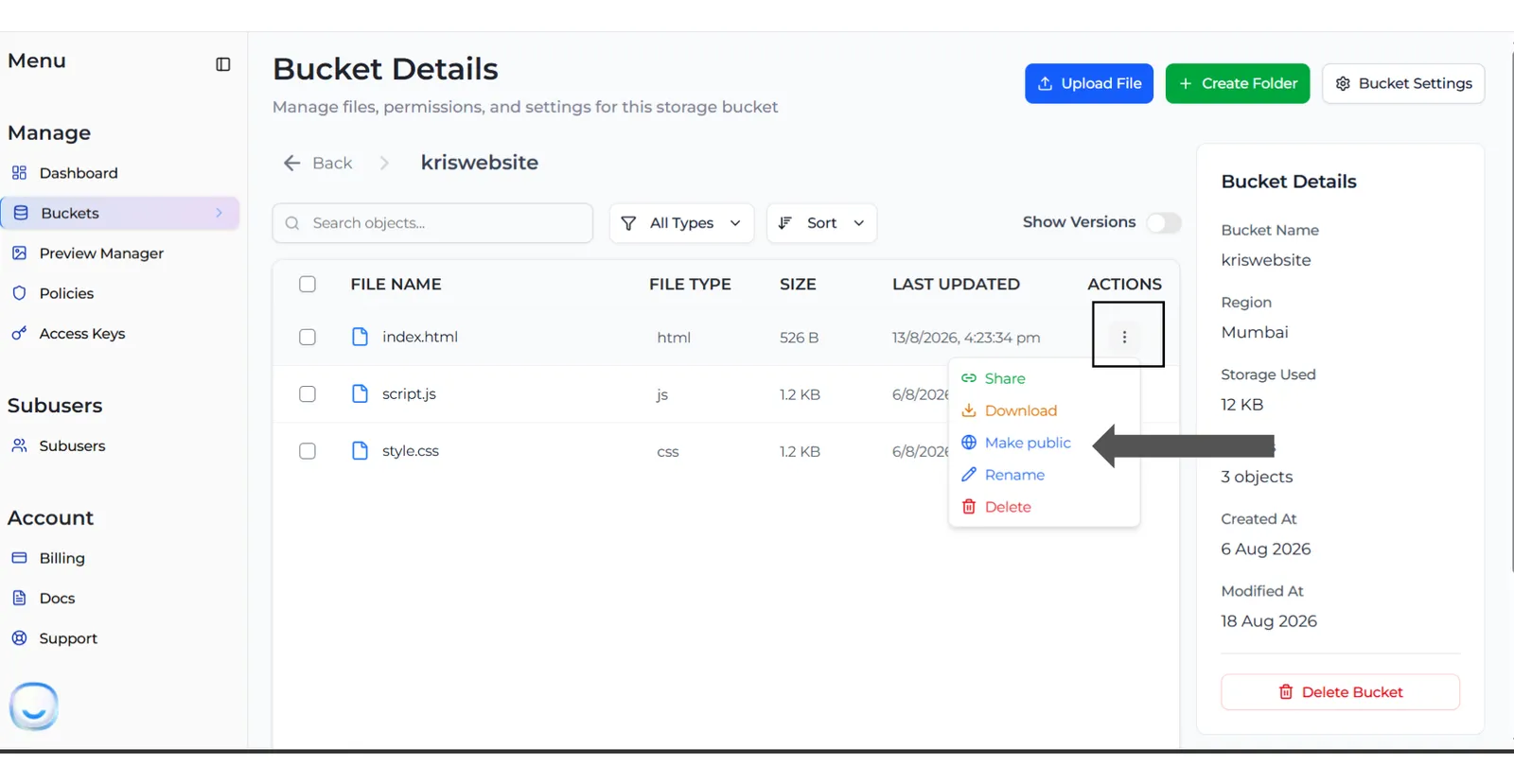
Open the bucket. On the file’s row, open the Actions (⋮) menu and select Make public.
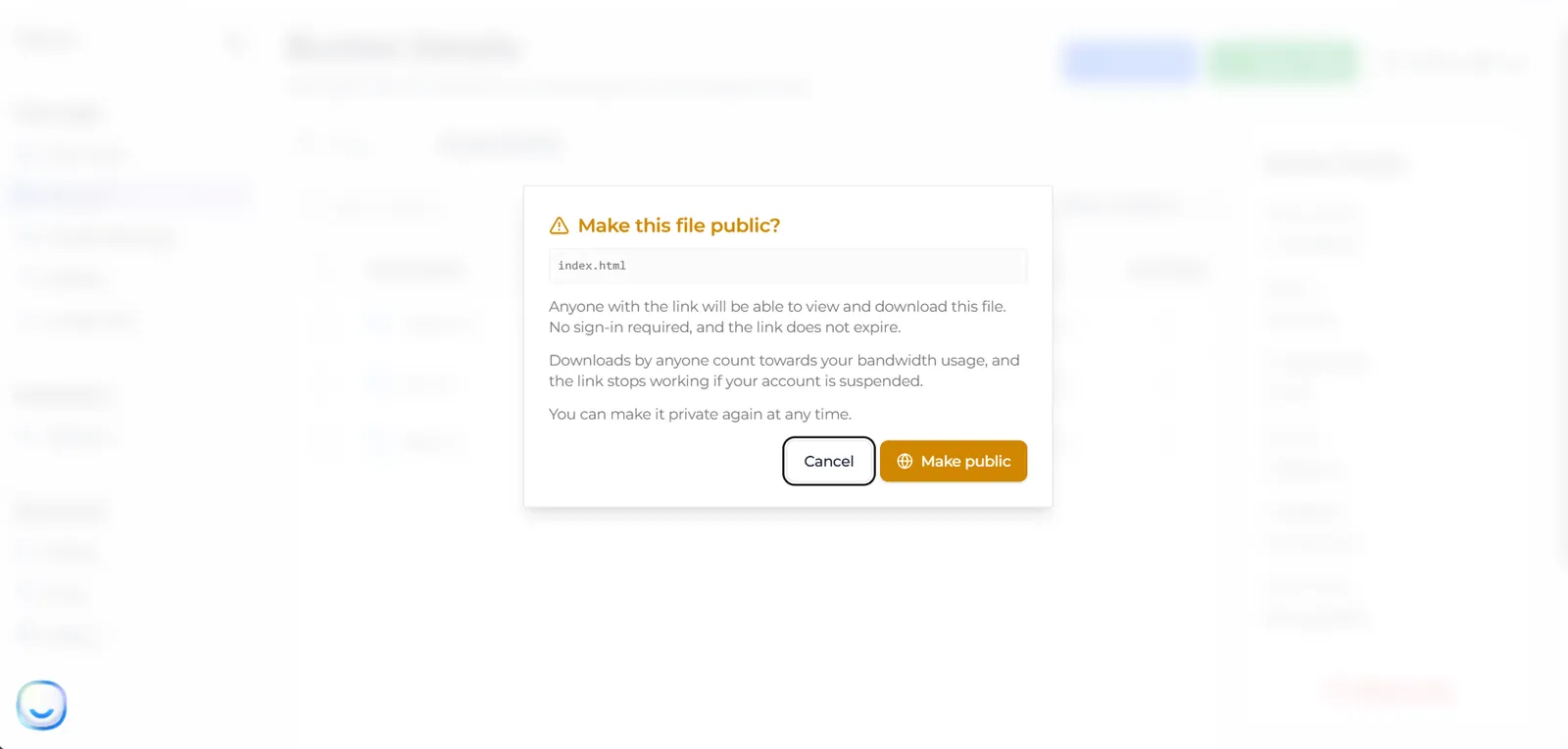
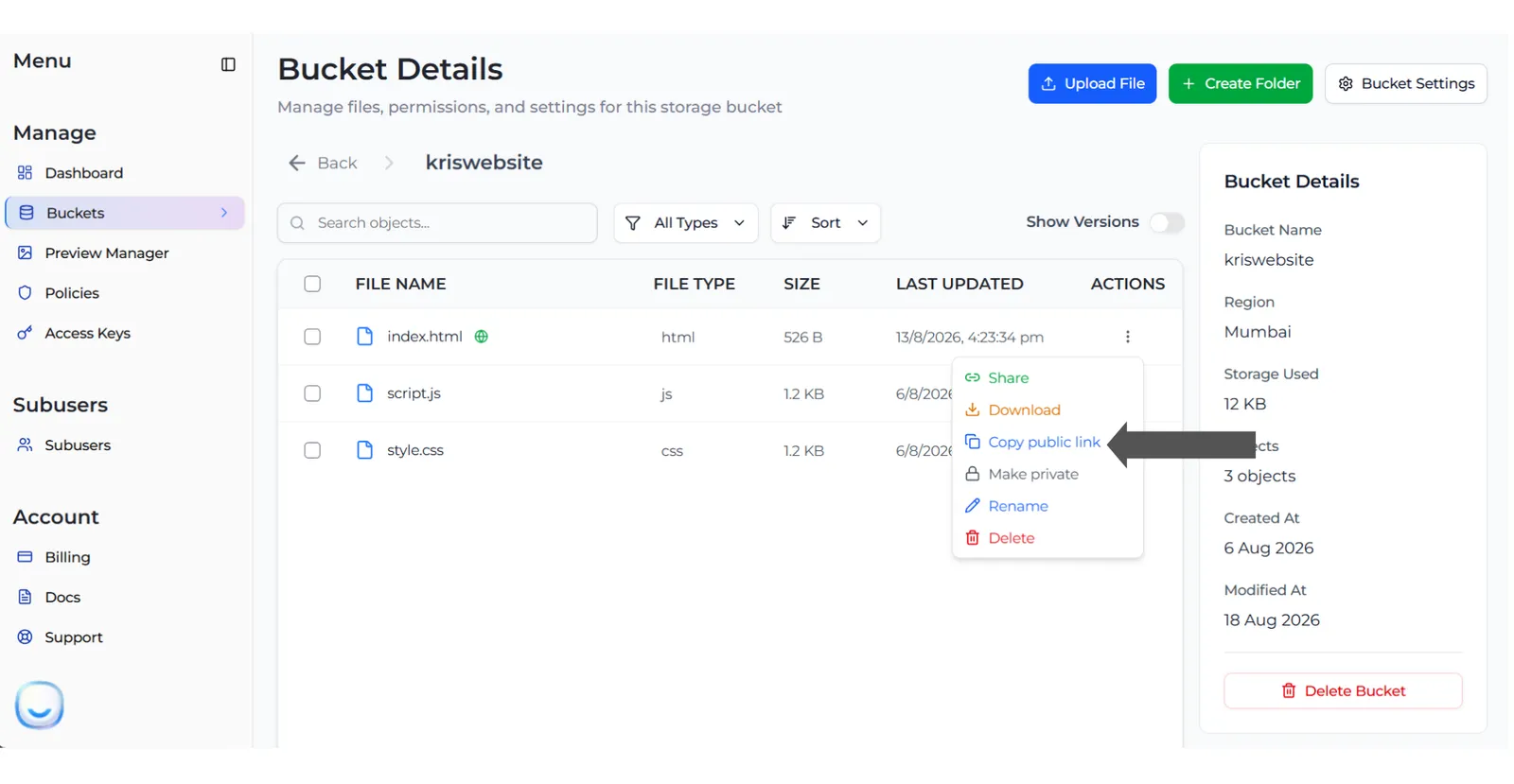
The link uses your bucket’s region and the full file path, including folders:
(idr01 for a bucket in Indore.) You can also make a file public or private from the file preview in the Preview Manager.
If the dialog says the bucket has a policy that blocks public access, making the file public has no effect until you change that policy on the Policies page.
Make a file private again
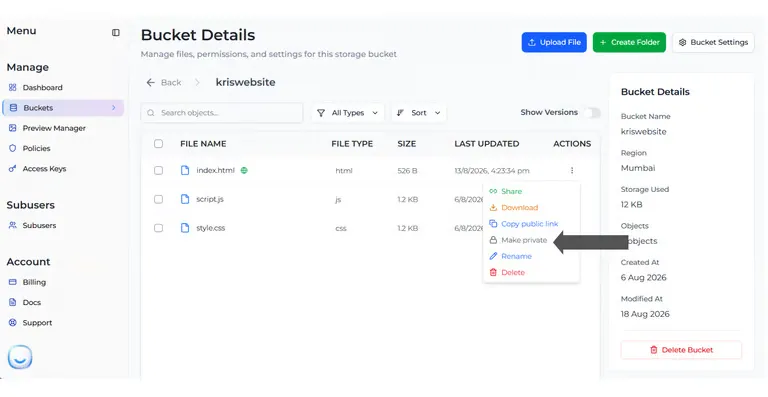
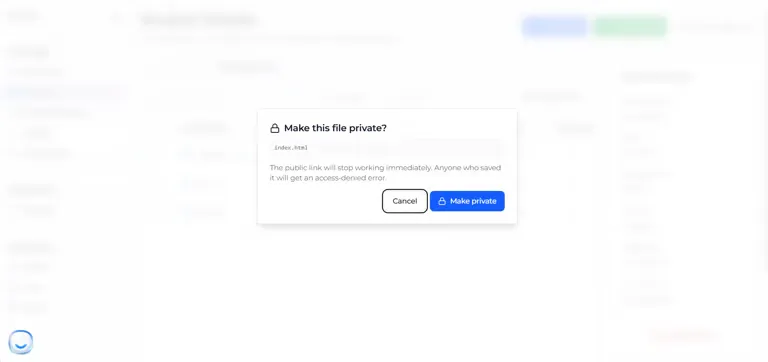
The link stops working at once; anyone who saved it gets an access-denied error. This is the only way to switch off a public link, because it never expires on its own.
Good to know
- You set this one file at a time. New uploads are always private, even in a public bucket.
- Making a file private does not delete it or change its versions or Object Lock settings.
- A public link can be forwarded and saved by anyone. To share for a short time, use a presigned URL instead.
- Downloads count towards your egress, and public links stop working while your account is suspended.
- Sub-users cannot make files public.