

Zata Assistant
Released October 2026. Zata Assistant is in beta.
Zata Assistant is a chat window built into the Zata console. Ask it about your buckets, files, sub-users or billing in plain words, ask it to create or change something, or paste an S3 error and get the fix. It works only with your own account.
Where to find it
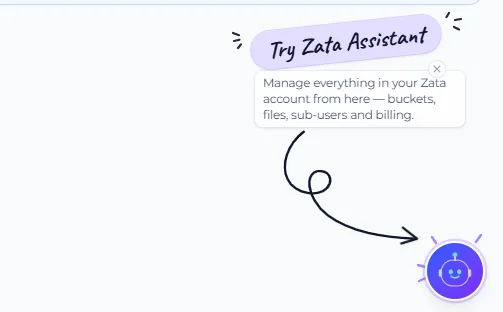
Select the round robot button in the bottom-right corner of any console page. The first time you see it, a Try Zata Assistant note points to it.
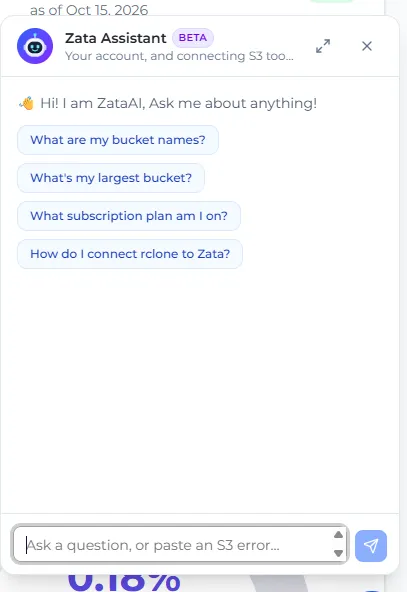
The chat window opens with a few example questions. Select one, or type your own question in the box at the bottom. Use the arrows at the top to make the window bigger, and X to close it.
What you can ask
What it can do for you
Ask in your own words, for example “create a bucket” or “turn on versioning for photos”. The assistant can:
- Buckets: create one or more buckets, turn versioning on or off, change tags, quota, lifecycle rules and Object Lock retention, change a bucket’s ACL, and empty or delete buckets.
- Files: share a file with a temporary link, lock a file version, and delete files.
- Sub-users: create sub-users, give them buckets and regions, change their email, resend or revoke invitations, suspend or reactivate them, delete them, and approve or reject their policy requests.
- Your account: manage access keys, change your name, and sign out.
Nothing changes until you confirm it. For every change, the assistant shows a card with the details, or a form when something is missing. Check it, edit it if you need to, and select Confirm or Create. Select Cancel to leave everything as it is.
Who can use it
- Everyone signed in to the console can ask questions, including accounts on the free trial.
- Making changes needs a paid plan. On the free trial, the assistant still answers questions and tells you when a change needs a plan.
- Sub-users can use it too. It only sees the buckets and permissions their account owner gave them, and it can’t do what only the owner can do, such as billing, creating buckets or managing sub-users. A sub-user can ask for more access on a bucket, and the change waits for the owner’s approval, as with Request Policy. Changes need the account owner to be on a paid plan.
Good to know
- It’s in beta. Check the details on each card before you confirm, and test commands before you rely on them.
- Don’t paste secret keys. If a message contains a secret key or token, the assistant hides it before reading your message and asks you to rotate that key.
- The chat isn’t saved. Reloading the page starts a new chat.
- It only covers Zata and S3 tools. For anything else, or if an answer doesn’t solve your problem, contact support.
Learn more
- Create a bucket: the same options the assistant’s form gives you.
- Create a sub-user: access types and invitations.
- Settings for any S3 tool: the endpoint, region and other settings the assistant uses in its answers.
- Troubleshooting: common S3 errors and their fixes.