

Share a file with a temporary link
A temporary link (presigned URL) lets anyone who has it download one file until the link expires. The bucket and the file stay private. Use it to send a file to someone who has no Zata account.
Create a link in the console
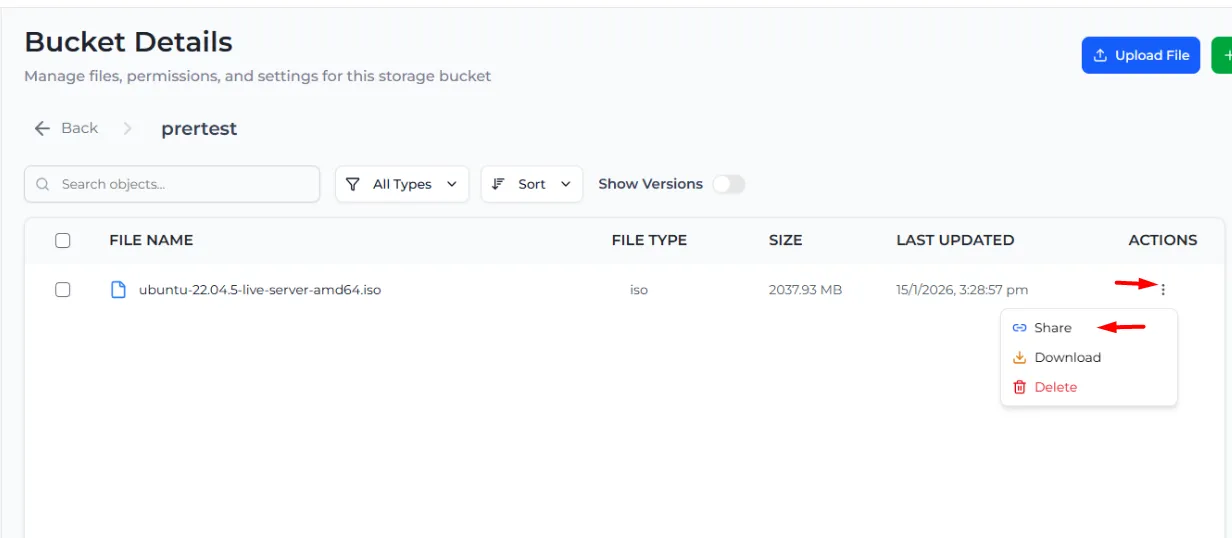
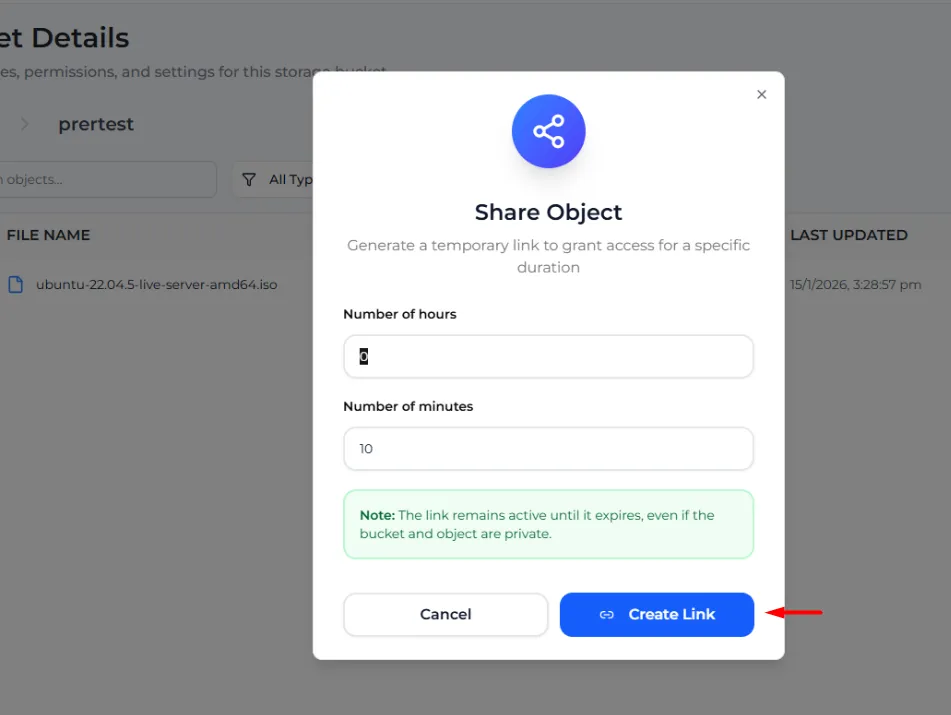
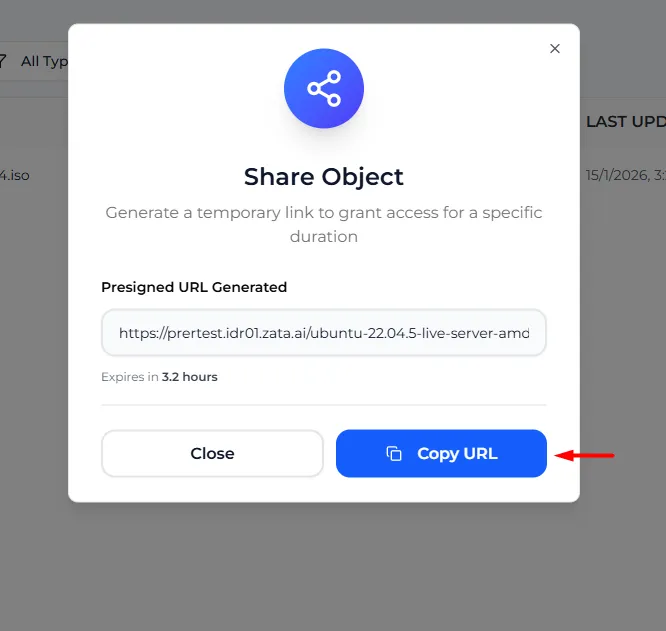
Opening the link in a browser downloads or shows the file. To share an older version of a file, turn on Show Versions and select Share in that version’s menu. You can also share from the Preview Manager.
Anyone who has the link can use it until it expires, and the console cannot cancel a link early. Pick a short time and send the link only to the right person. Downloads count towards your egress.
For a link that never expires, make the file public instead.
Create links with S3 tools
These commands were tested on Zata. They use the zata profile and keys from Access keys.
Download link with the AWS CLI. The AWS CLI can only make download links. --expires-in is in seconds, up to 7 days (604800):
Download and upload links with Python (boto3). For Mumbai, use https://bom01.zata.ai:
boto3 reads the keys from the environment variables AWS_ACCESS_KEY_ID and AWS_SECRET_ACCESS_KEY.
Use an upload link:
- If the link was made with a
ContentType(for exampleParams={..., "ContentType": "text/plain"}), the upload must send exactly that header (-H "Content-Type: text/plain"). Otherwise Zata answers 403. - If the link was made without a
ContentType, send noContent-Typeheader. Some HTTP libraries add one by themselves, which also gives 403. - A link made by a tool stops working when it expires, or when the access key that signed it is deleted or disabled.
rclone link does not work on Zata (not found: FixupRequest). Use the console, the AWS CLI or an SDK instead.