

Create an account
Sign up for the 15-day free trial and sign in to the Zata console.
Create a Zata account to use the Zata console at my.zata.ai. Every new account starts with a 15-day free trial. You don’t need a credit card or bank details for the trial.
Sign up
Enter your details
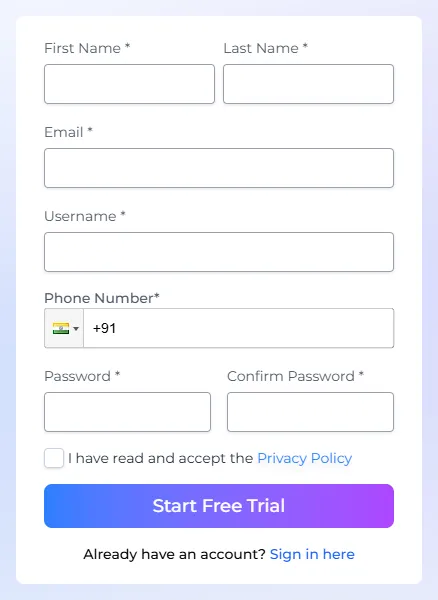
Fill in First Name, Last Name, Email, Username, Phone Number, Password and Confirm Password.
Accept the privacy policy
Select I have read and accept the Privacy Policy, then select Start Free Trial.
Verify your email
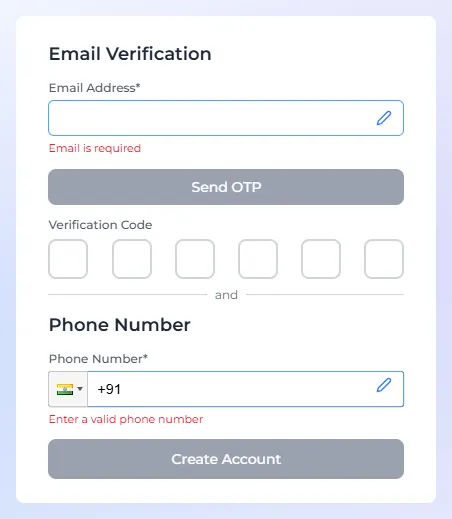
The Verify Your Account page opens. Under Email Verification, check your email address. To change it, select the pencil icon.
Select Send OTP, then type the 6-digit code from the email into Verification Code. If the email doesn’t arrive, check your spam folder.
Sign in
Go to my.zata.ai and sign in with your username or email and your password. The console opens on the dashboard.
If you turned on two-step sign-in, you also enter the code from your authenticator app. See Profile settings.
The free trial
- The trial lasts 15 days and includes both regions, Indore and Mumbai.
- To keep using Zata after the trial, buy a plan under Billing. See Billing.
- If you don’t buy a plan, your trial data is kept for 30 days after the trial ends. After that it is deleted permanently.
Next steps
- Your first bucket: create a bucket and upload a file in a few minutes.
- Endpoints and regions: the settings every S3 tool needs.