

From Wasabi
Use rclone to copy objects from a Wasabi bucket to a Zata bucket. rclone reads from Wasabi and writes to Zata in one command. The data passes through the computer that runs rclone.
The Zata settings on this page were tested with rclone v1.75.2 on Zata in October 2026.
Before you start
- A Zata bucket, and a Zata access key from the same region. See Create a bucket and Access keys.
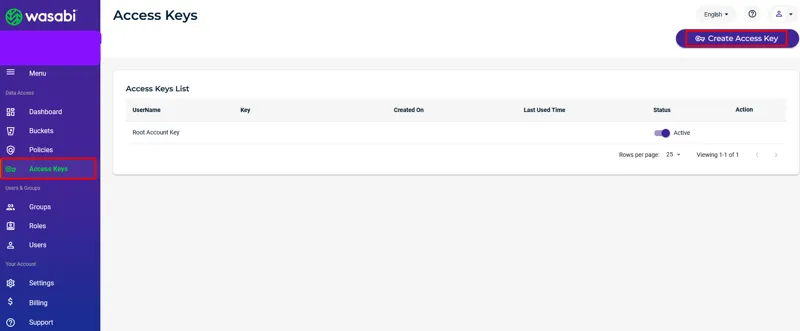
- A Wasabi access key. In the Wasabi console, open Access Keys and select Create Access Key.
- The Wasabi region of the source bucket, for example
ap-northeast-1. You find it in the Wasabi console. - rclone on a computer with a fast internet connection. Install the latest version from rclone.org; on Linux run
curl https://rclone.org/install.sh | sudo bash.
1. Add the Wasabi remote
Replace ap-northeast-1 with the region of your Wasabi bucket, in both places.
2. Add the Zata remote
For a bucket in Mumbai, use https://bom01.zata.ai as the endpoint.
Two of these settings are needed on Zata:
To set up the remote step by step instead, see rclone on Linux.
3. Check both remotes
The first command lists your Wasabi buckets. The second lists the Zata bucket, and shows nothing while it’s empty. With a sub-user key, rclone lsd zata: shows no buckets, so always use the bucket name.
4. Copy the data
Replace my-wasabi-bucket with the Wasabi bucket and my-bucket with the Zata bucket.
copynever deletes anything. It skips files that are already the same in Zata, so if it stops halfway, run the same command again.- For a bucket with millions of objects, add
--fast-list --transfers 16 --checkers 32. - If your apps still write to Wasabi during the migration, run the copy again when you switch over to Zata, to pick up the latest files.
5. Check the copy
It ends with 0 differences found when every object is in Zata with the same content. Objects uploaded in parts have no MD5 to compare. To compare their content too, add --download (slower, and it downloads the files from Wasabi again).
What rclone doesn’t copy
- Old versions. rclone copies the current version of each object only.
- Bucket settings. Versioning, lifecycle rules, bucket policies and Object Lock settings stay in Wasabi. Set them up again in Zata. If you need Object Lock, turn it on when you create the Zata bucket, before you copy: you can’t add it later.