

WordPress (UpdraftPlus)
UpdraftPlus is a WordPress backup plugin. It can send backups of your site’s files and database to a Zata bucket through its S3-Compatible (Generic) remote storage.
Before you start
- A bucket for the backups, for example
wp-backups. See Create a bucket. - An access key from the same region as the bucket. See Access keys.
- Admin access to your WordPress site.
Connection settings
Set up UpdraftPlus
Install the plugin
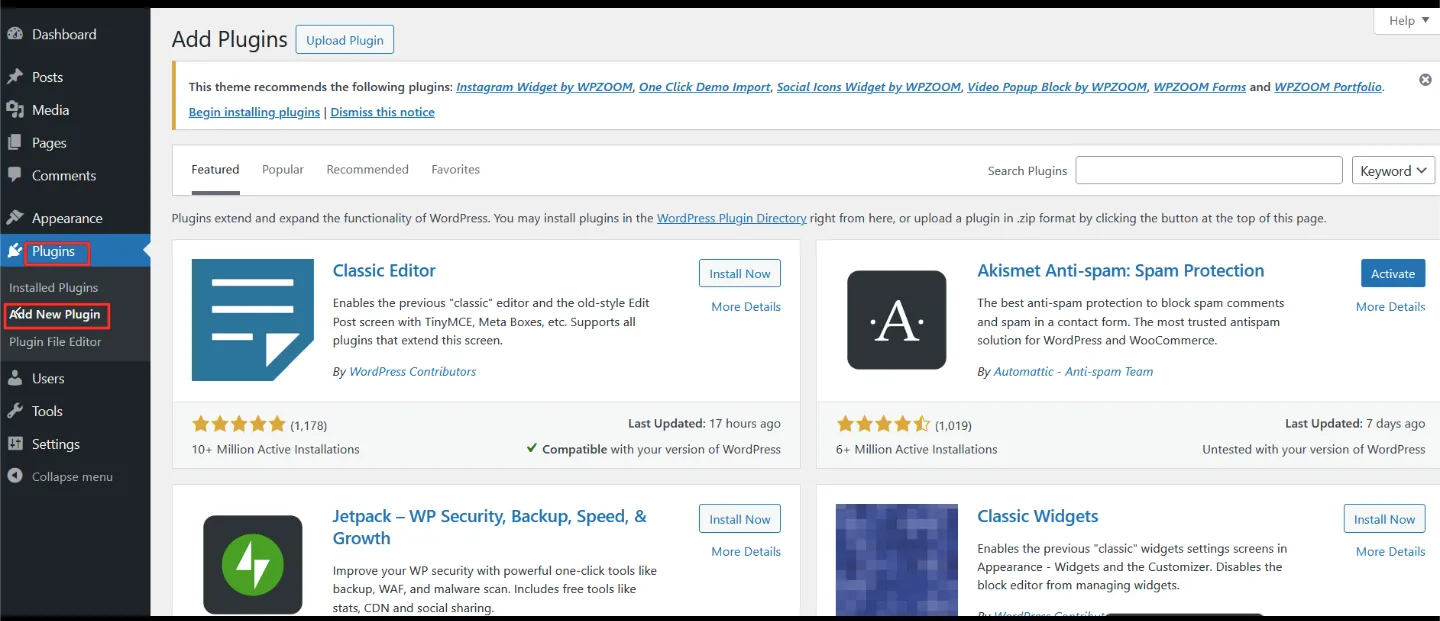
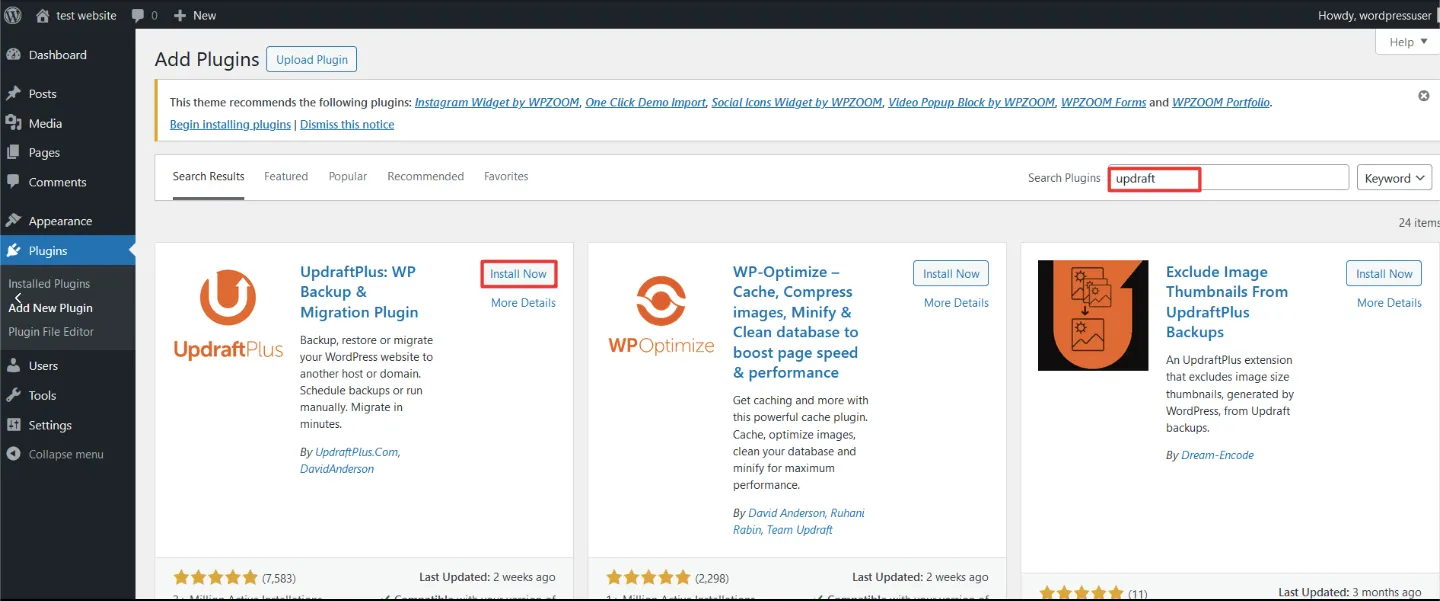
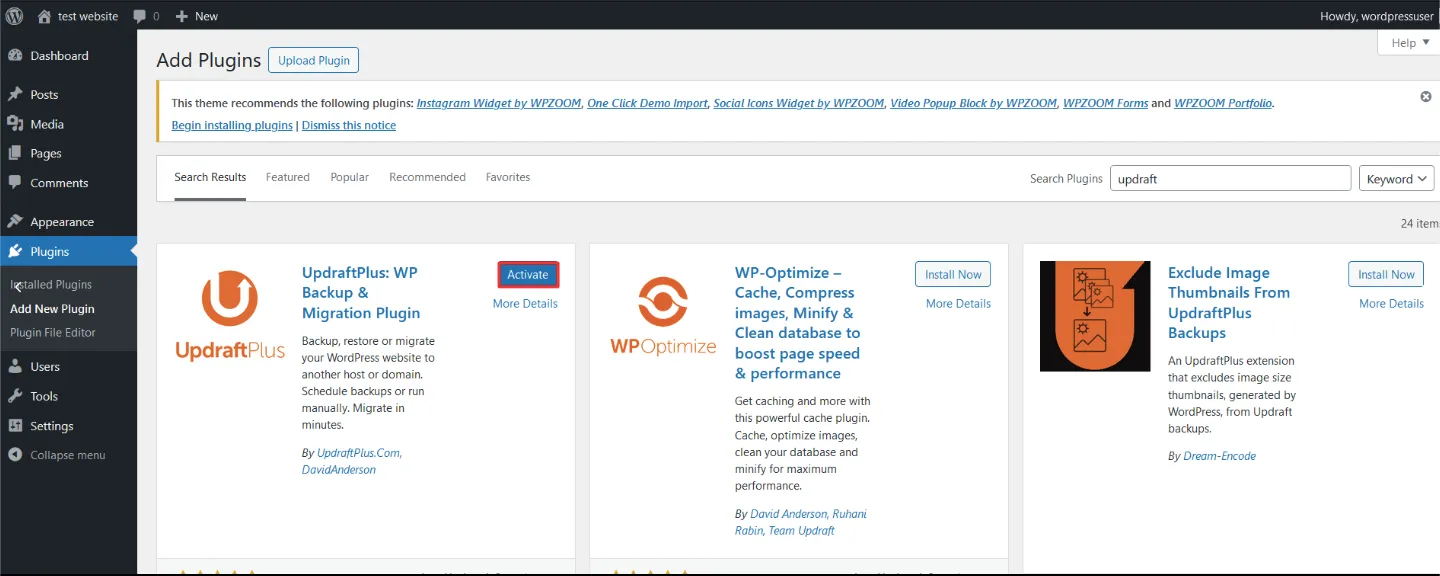
In WordPress admin, open Plugins → Add New Plugin. Search for UpdraftPlus and click Install Now on UpdraftPlus: WP Backup & Migration Plugin. Then click Activate.
Choose Zata as remote storage
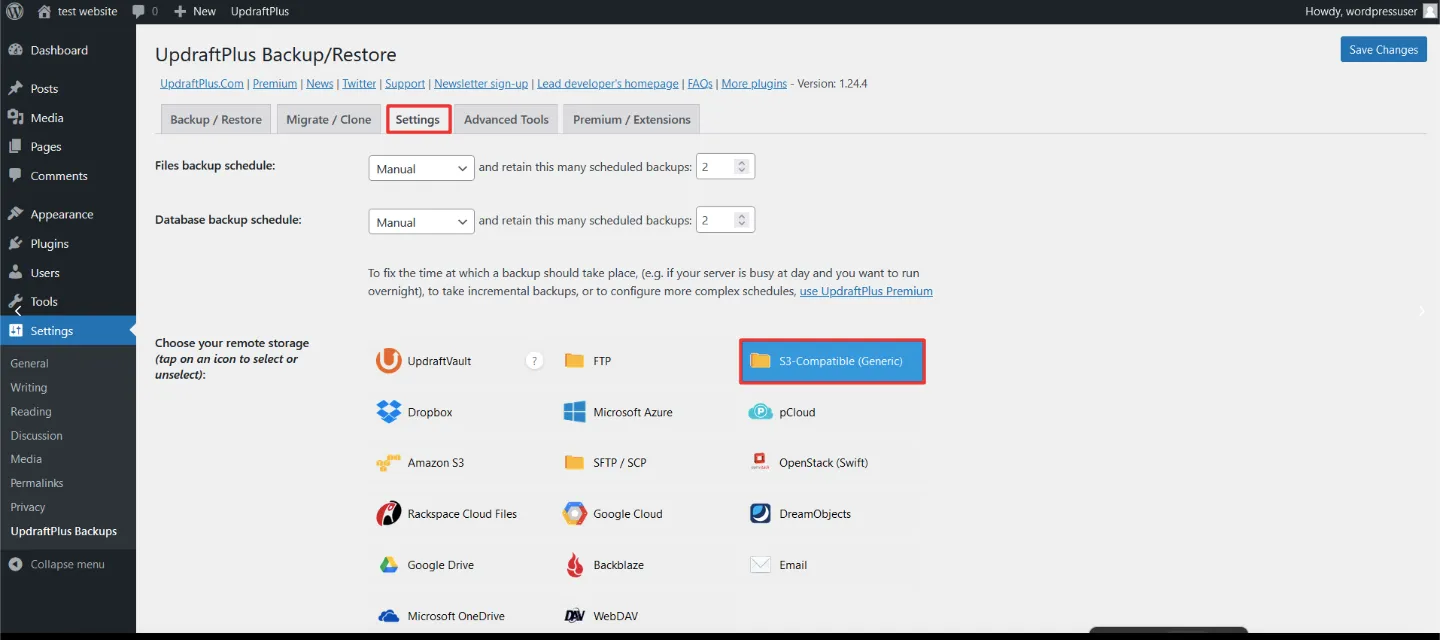
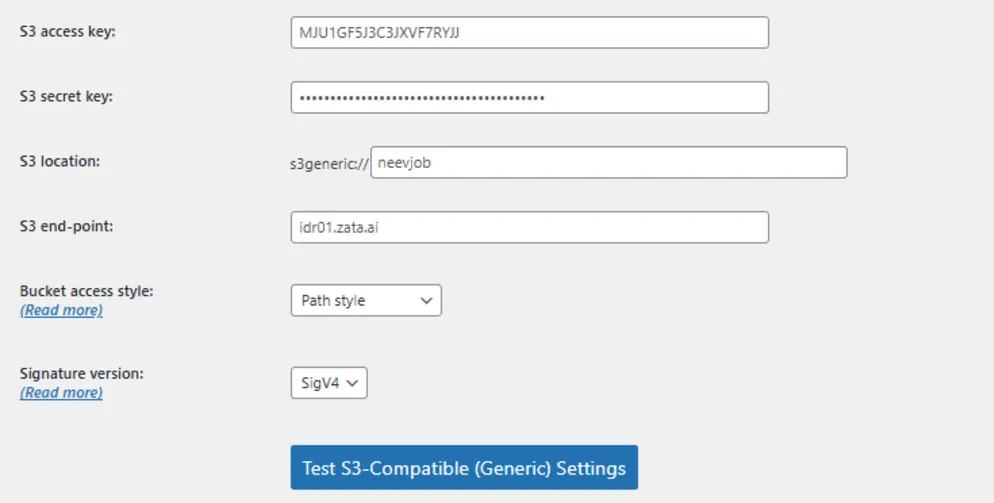
Open Settings → UpdraftPlus Backups and select the Settings tab. Under Choose your remote storage, select S3-Compatible (Generic).
Test it
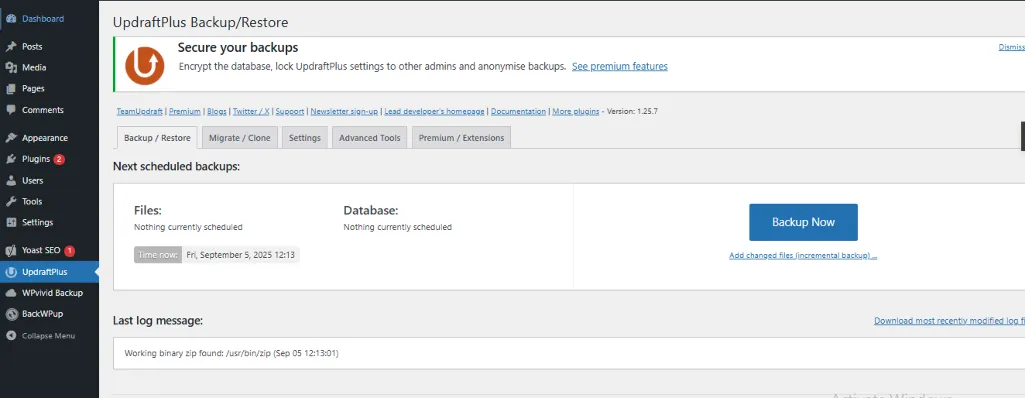
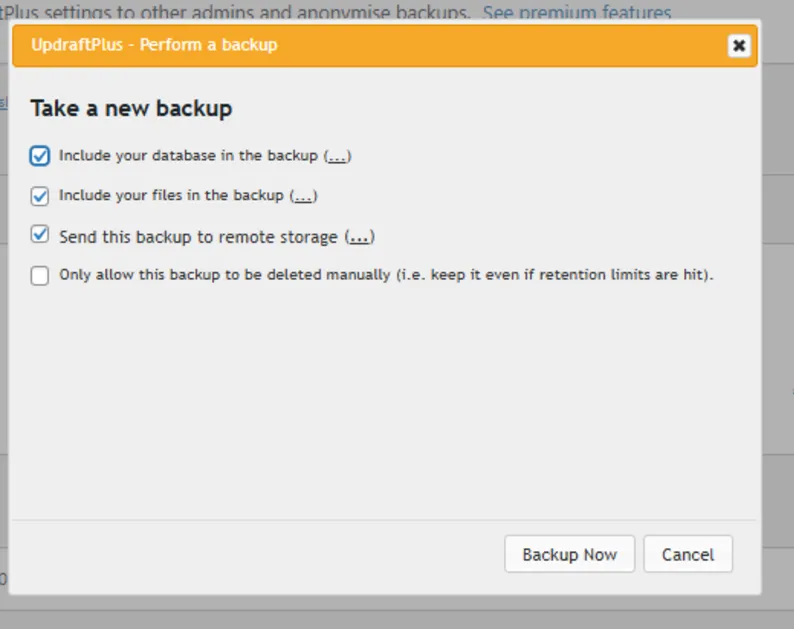
Open the Backup / Restore tab and click Backup Now. Tick Include your database in the backup, Include your files in the backup and Send this backup to remote storage, then click Backup Now.
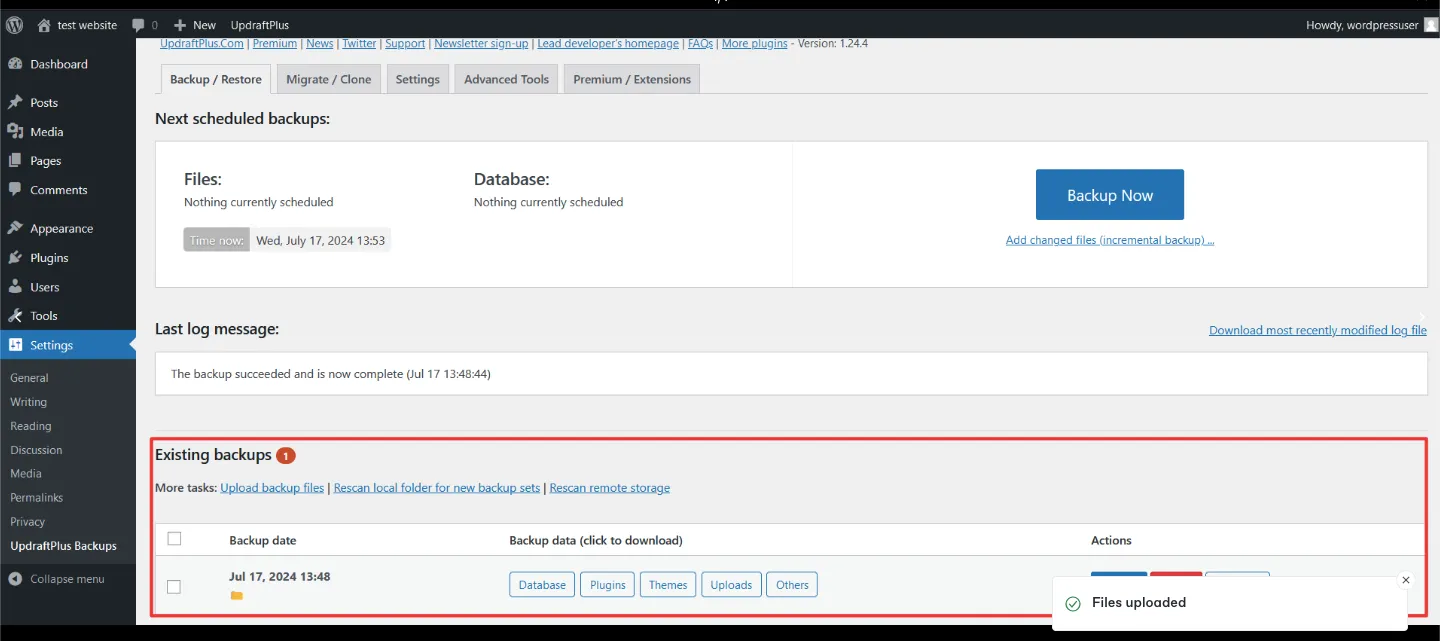
When it finishes, the backup shows under Existing backups. Check that the backup files are in your bucket in the Zata console, and try a restore from the Backup / Restore tab before you rely on it.
Troubleshooting
For other errors, see Signature errors and Access denied.