

Governance mode
A version locked in Governance mode cannot be overwritten or deleted until its retain-until date, with one exception: the account owner can still delete it on purpose. This makes Governance the safe choice for backups and for trying out Object Lock.
To set a Governance lock, choose Governance as the mode in a default retention, when you lock existing versions or when you lock one version.
What you can and cannot do
Delete a Governance-locked version
Signed in as the account owner:
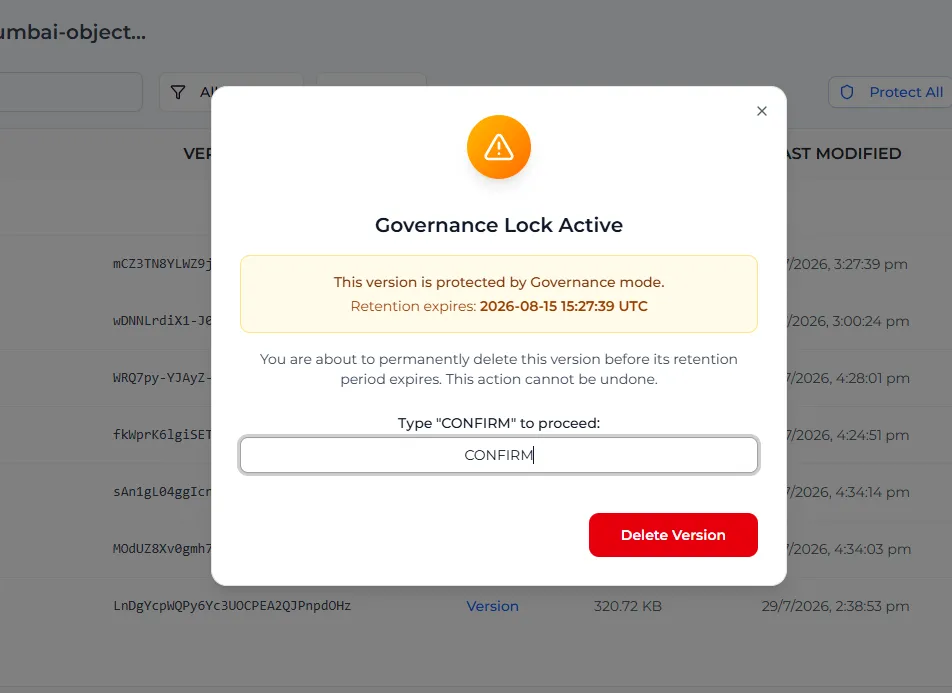
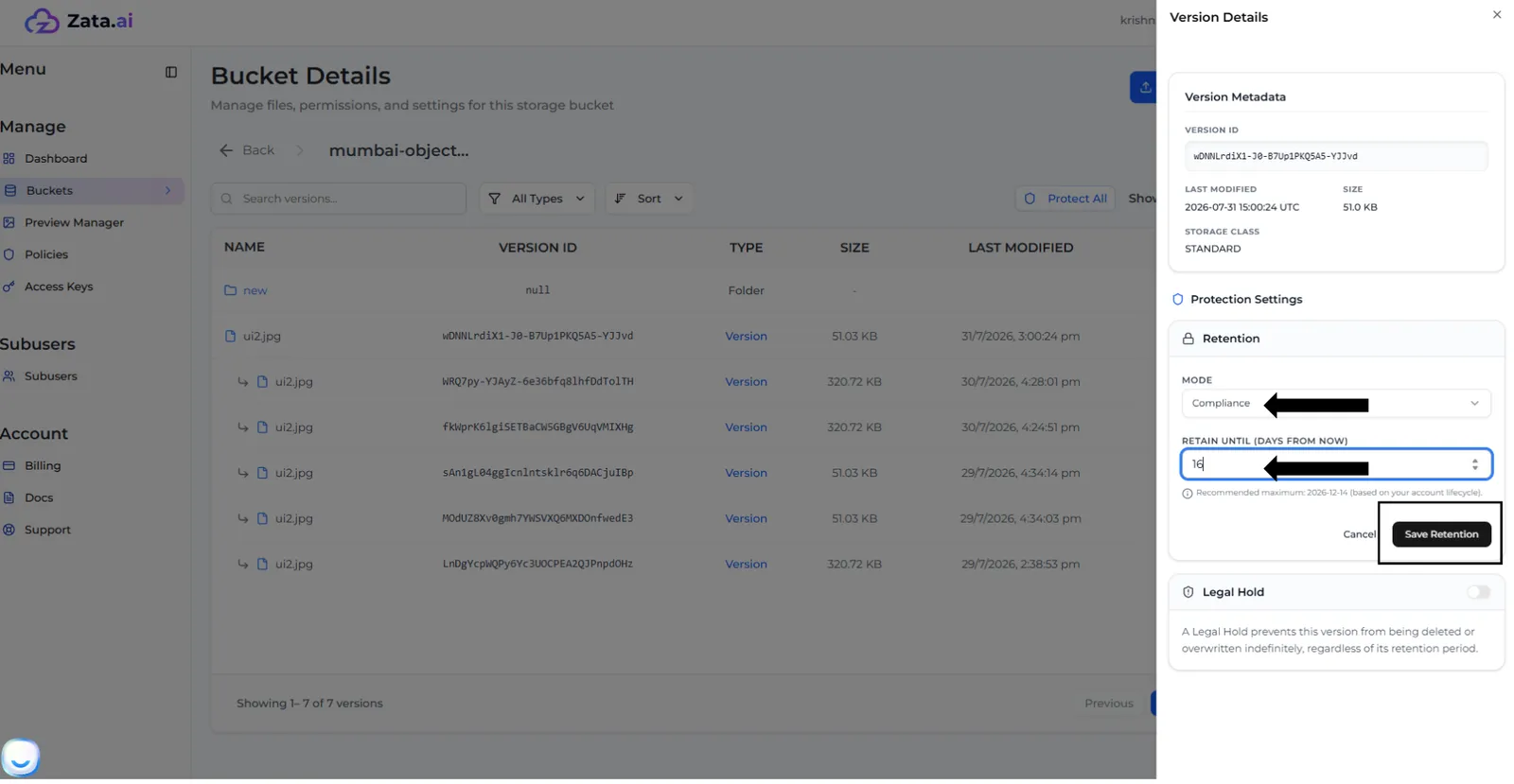
Change a version to Compliance
In the version’s Lock Settings, select Edit under Retention, choose Compliance and enter at least as many days as are left. Select Save Retention and confirm. After this, nobody can delete the version or shorten its lock until the date passes: see Compliance mode.
Lock a file with the AWS CLI
This locks the newest version of myfile.txt until the date you give. Use a sub-user key only if the owner has given it the Object Lock permissions; otherwise Zata answers AccessDenied.