

Dashboard
Storage used, object count and the buckets you can reach.
The Dashboard is the first page a sub-user sees after signing in. It sums up the storage the account owner shared with you.
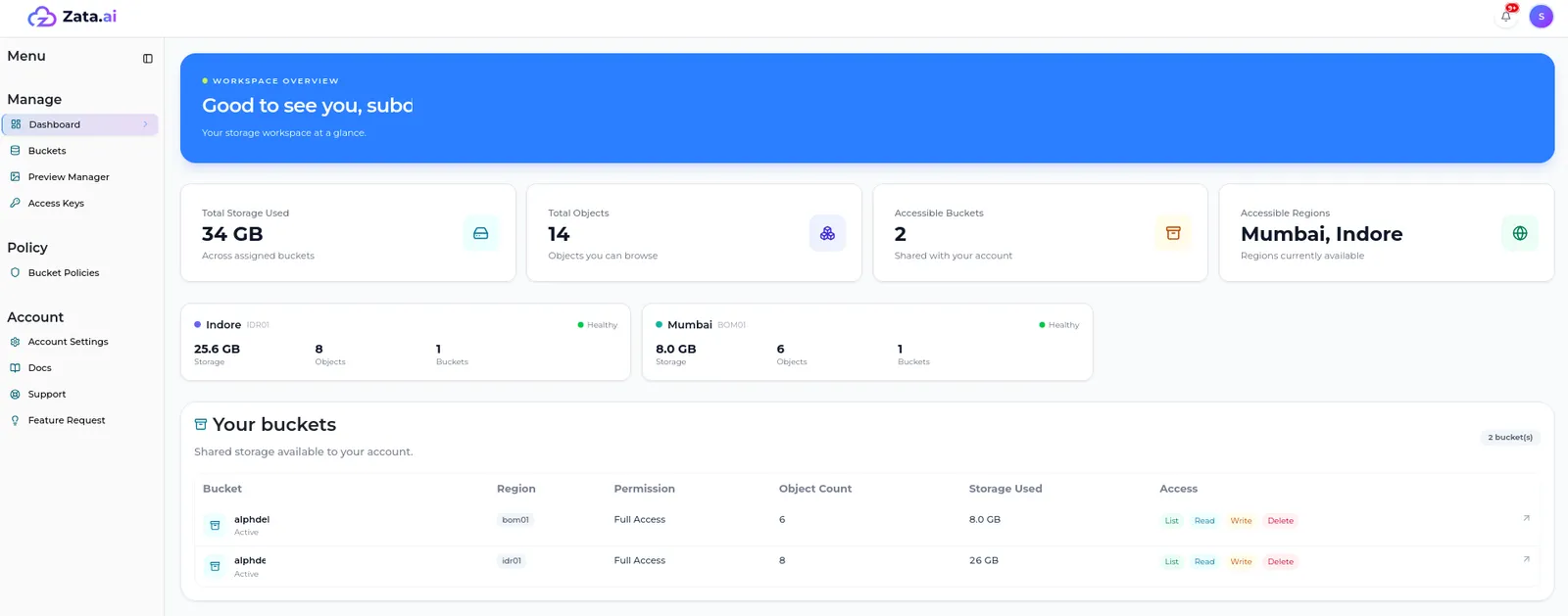
- Tiles — Total Storage Used, Total Objects, Accessible Buckets and Accessible Regions, counted over the buckets shared with you.
- Regions — one card for each of your regions, with its storage, objects, buckets and health.
- Your buckets — each bucket with its region, your permission, object count and storage used. The Access badges show what you can do there: List, Read, Write and Delete. Select a bucket to open it, or View all buckets for the full list.
- Workspace notes and Support & Docs — reminders that your access is managed by the account owner, and links to support and these docs.
When your account owner gives you new access or changes it, the dashboard shows the change.