Skip to navigation

Vembu

Store Vembu BDRSuite backups in a Zata bucket.

Vembu BDRSuite backs up physical, virtual and cloud workloads. It can store backups in a Zata bucket that you add as an S3 Compatible object storage repository.

Before you start

Connection settings

SettingValue
Repository TypeS3 Compatible
Service Endpointidr01.zata.ai for Indore, bom01.zata.ai for Mumbai
DC Regionus-east-1, or leave it empty (Zata does not check the region name)
CredentialAccess key and secret key from Access Keys in the Zata console. The key must be from the same region as the bucket.
Bucket NameYour bucket

Set up BDRSuite

1

Open Object Storage

In the BDRSuite web console, open Infrastructure → Backup Repository → Object Storage and click Create New Object Storage Repository.
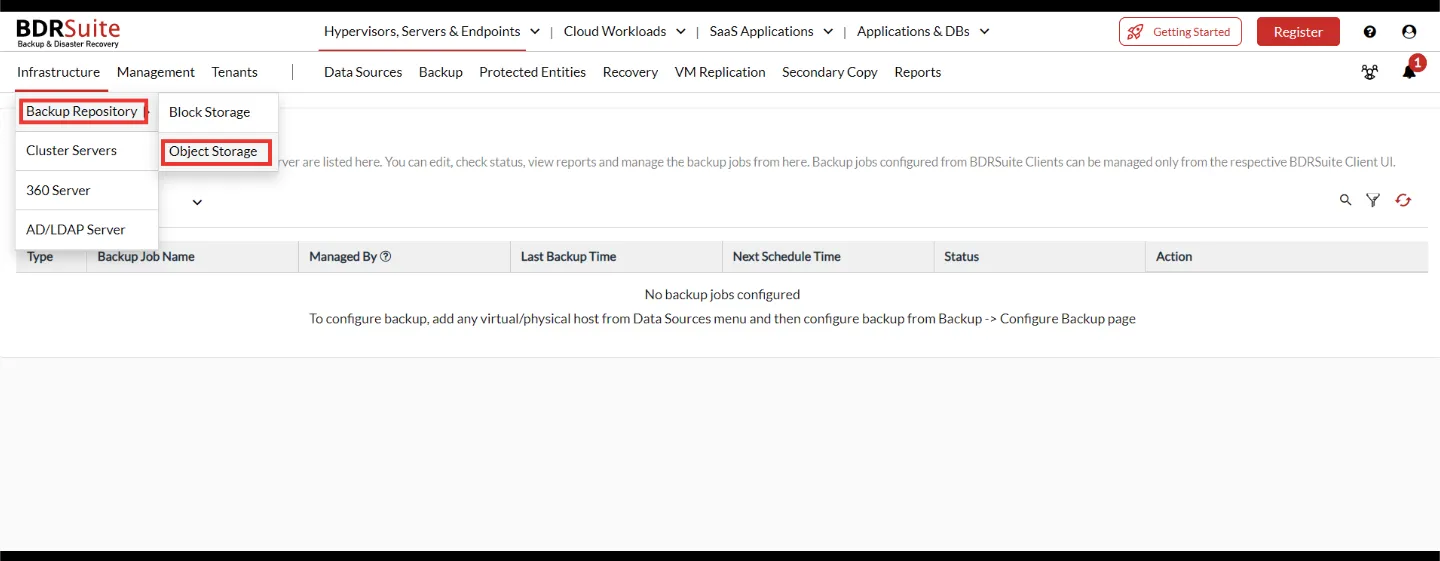
Infrastructure menu in BDRSuite with Backup Repository and Object Storage highlighted
2

Fill in the repository

Enter a Repository Name, set Repository Type to S3 Compatible, and choose whether it is the default repository. Enter the Service Endpoint and DC Region from the table above.

Next to Credential, click Add New Credentials and enter a display name, your access key and your secret key.
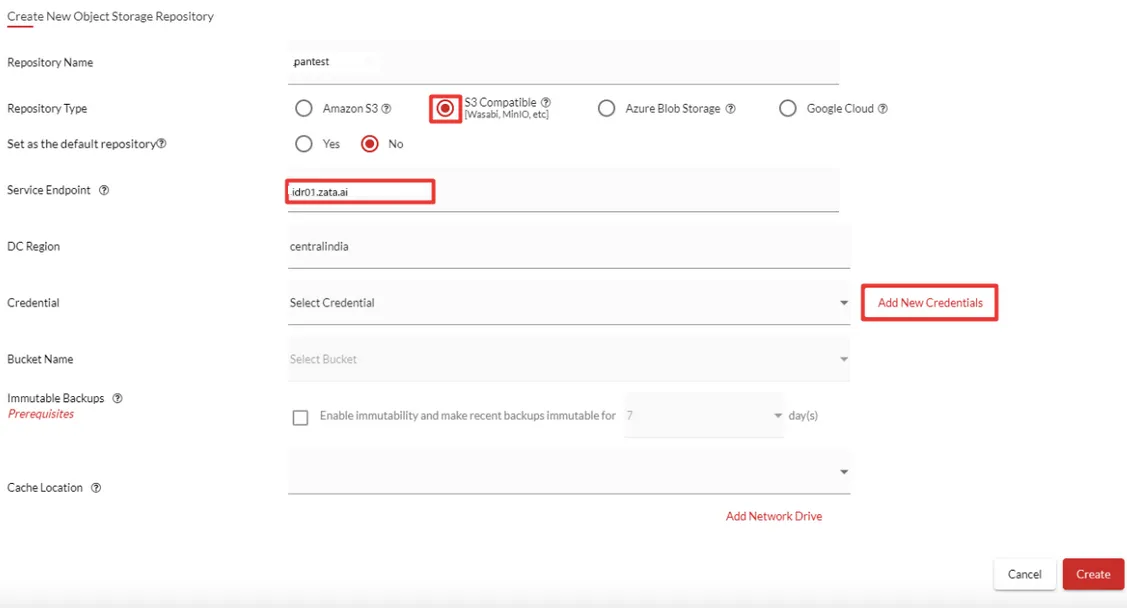
Create New Object Storage Repository form with S3 Compatible selected, Service Endpoint idr01.zata.ai and the Add New Credentials button
Any DC Region works. We recommend us-east-1 or an empty field.
3

Choose the bucket and cache

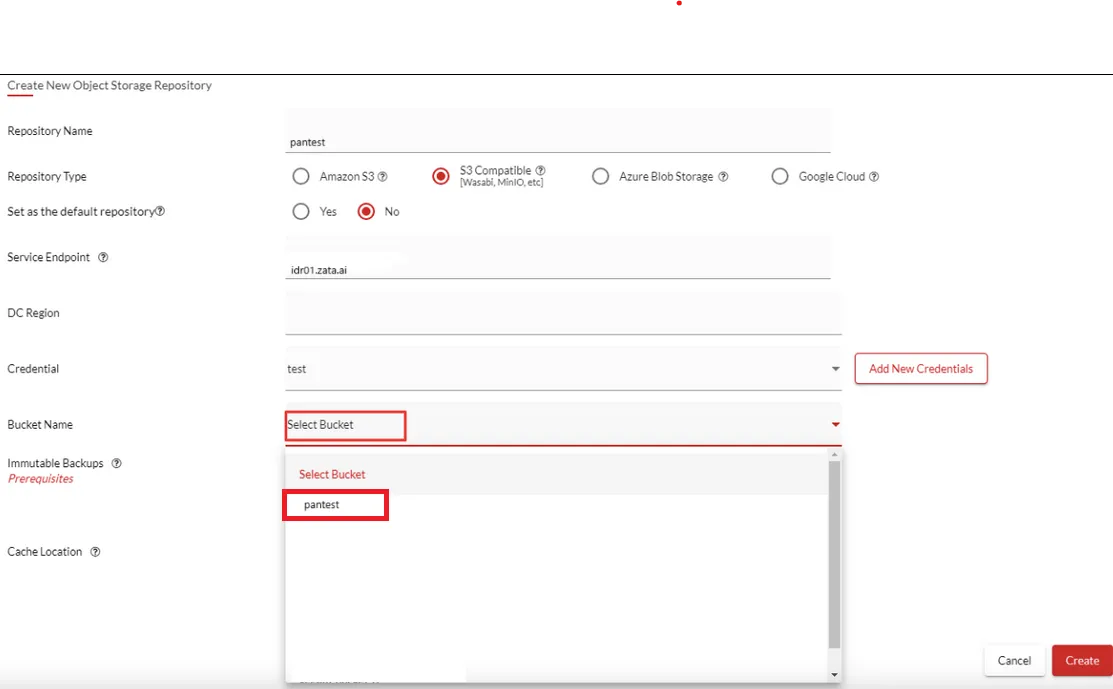
Select your bucket under Bucket Name and choose a local Cache Location. Click Create.

Bucket Name list with a bucket to select

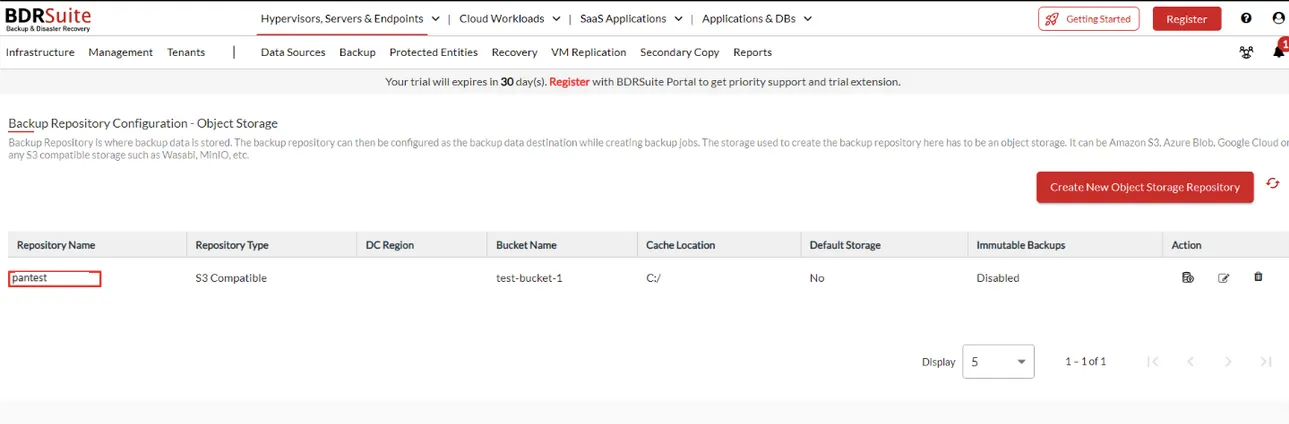
The repository appears in the Object Storage list.

Object storage repository list with the new S3 Compatible repository

Test it

Create a small backup job with the Zata repository as its destination and run it. Then restore one file to confirm the backup can be recovered.

Troubleshooting

ProblemFix
The bucket does not appear in Bucket NameCheck that the Service Endpoint matches the bucket’s region and the key can use the bucket. A sub-user’s key cannot list buckets.
Access denied or invalid credentialsCopy the keys again from Access Keys and check that the key is active.
Creating the repository times outAllow outbound HTTPS (port 443) from the BDRSuite server to the Zata endpoint.

For other errors, see Signature errors and Endpoint and region.