

Policies
See the access you have been given, and ask for more.
Bucket Policies shows the access your account owner gave you, bucket by bucket. From here you can also ask for more permissions. The page has three tabs:
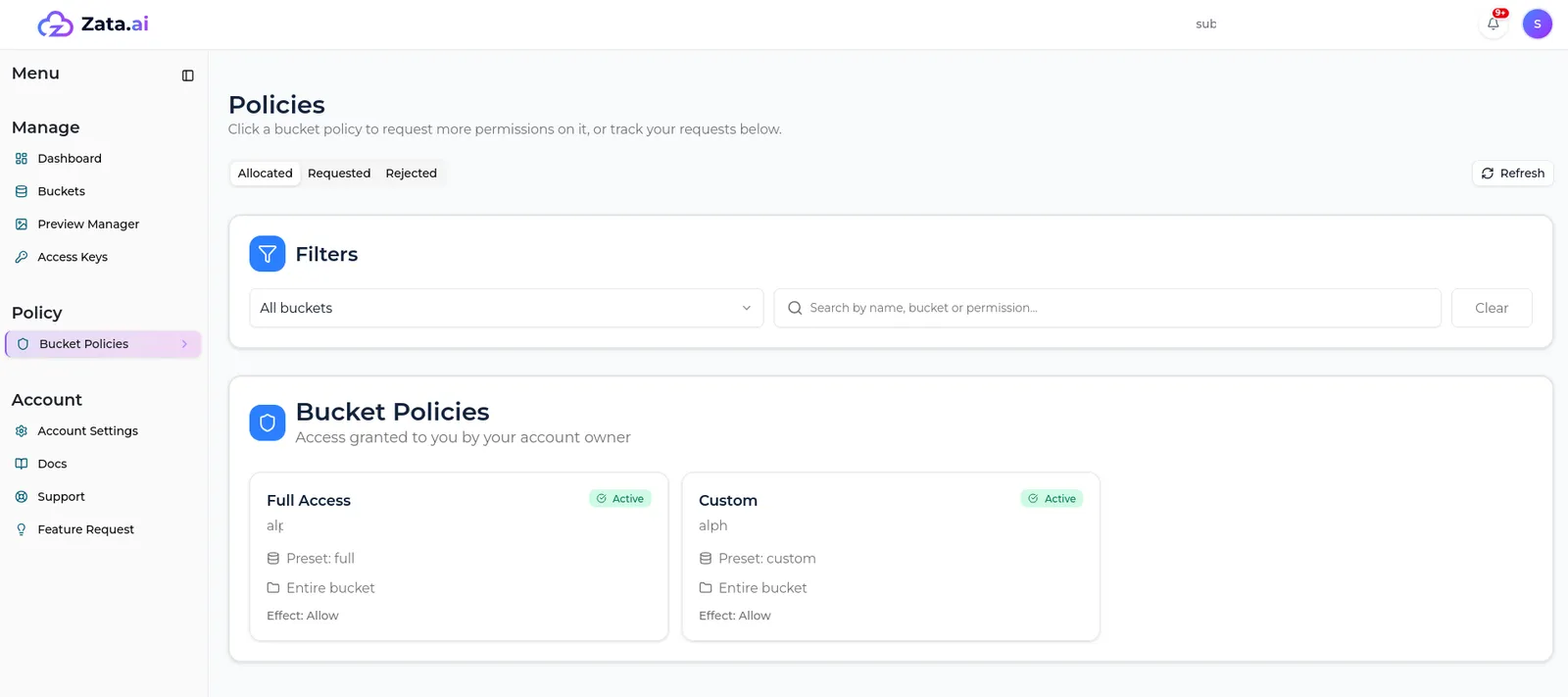
Select a policy to see its details: effect, scope, folders and the full list of S3 actions it allows.
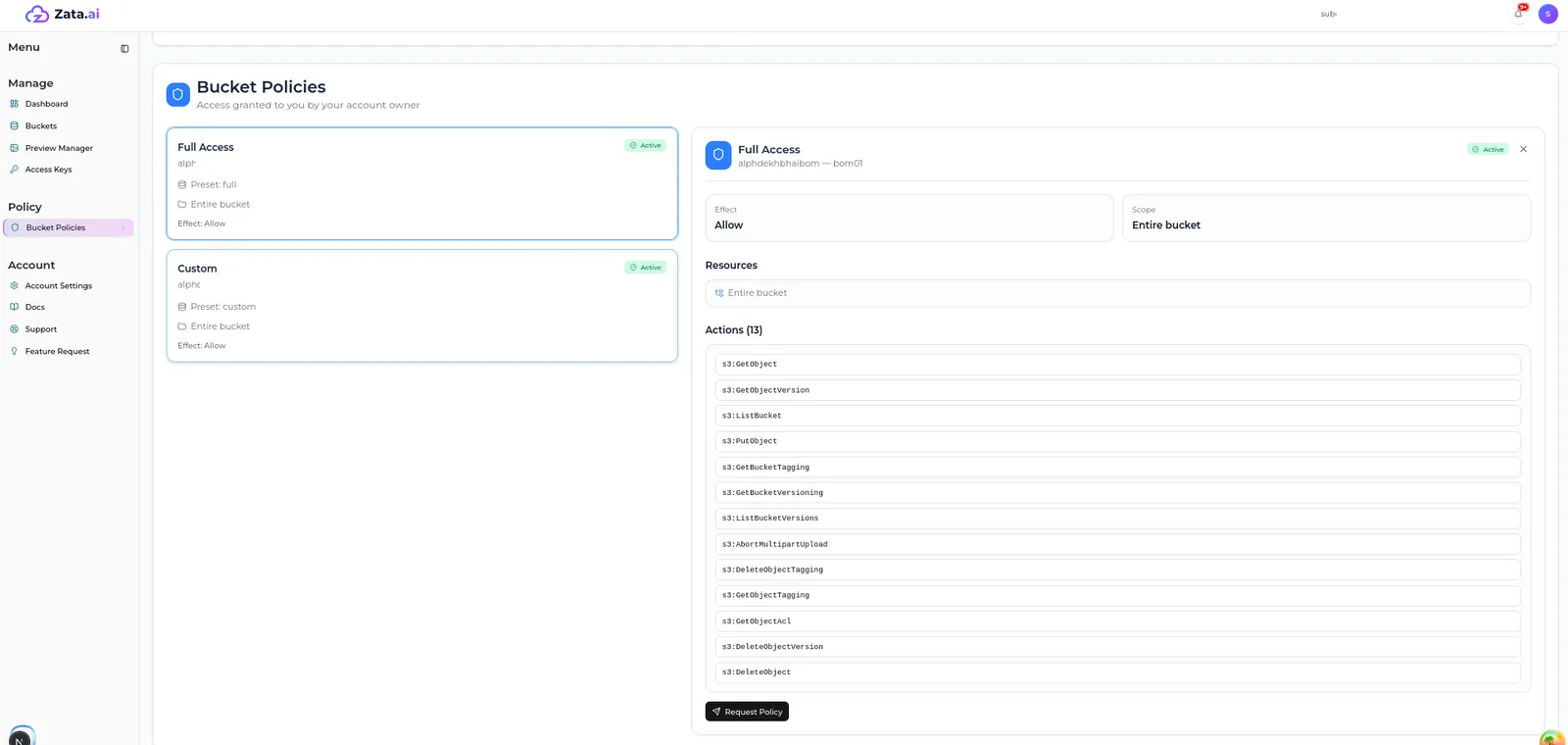
Ask for more permissions
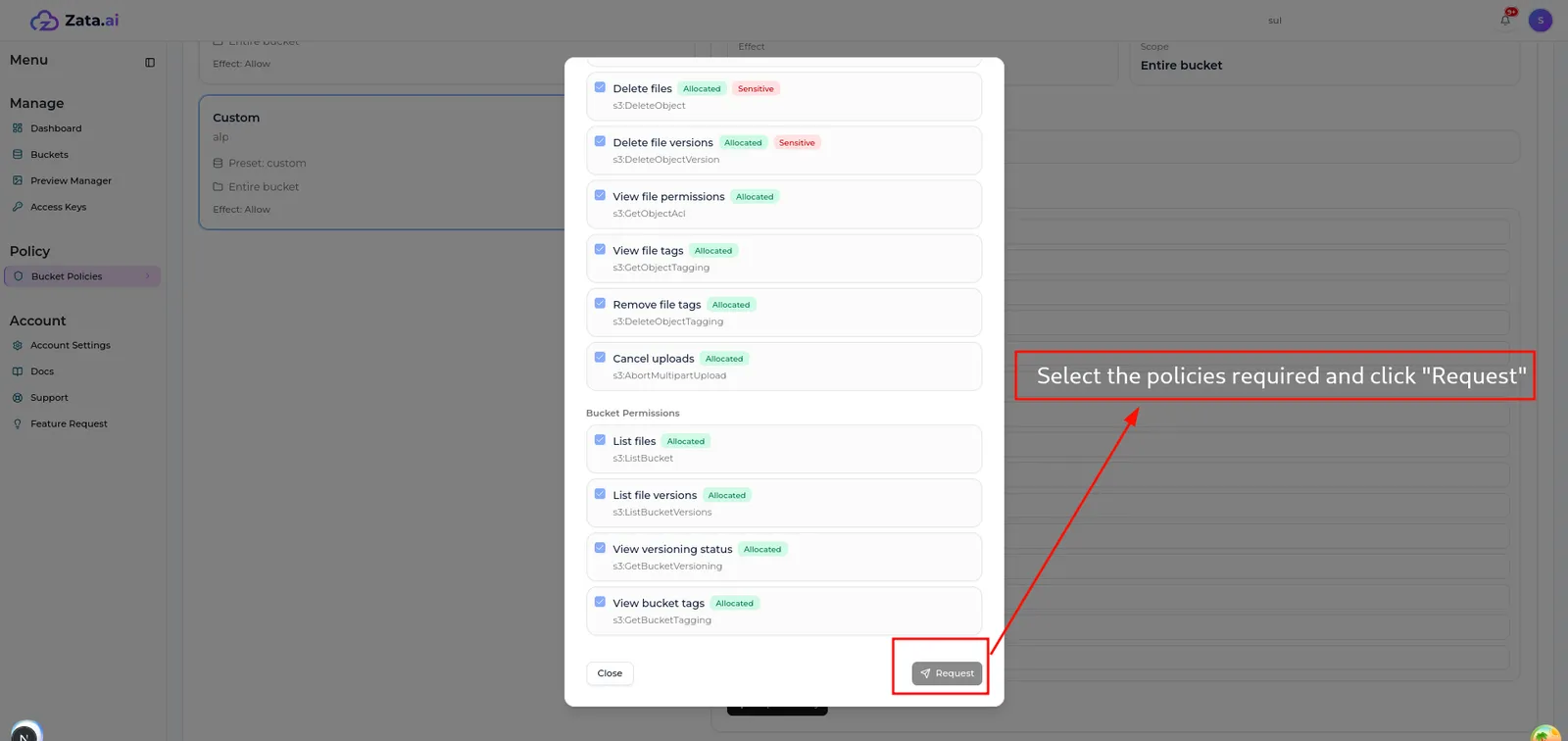
Your account owner approves or rejects it. You get a notification and an email with the result. Approved actions are added to your policy straight away; rejected ones move to the Rejected tab.
You can only request more actions on a bucket you already have a policy for. For a new bucket, ask your account owner directly.