

Suspend and reactivate
Block a sub-user for a while without deleting anything.
Suspending a sub-user blocks it straight away: its access keys stop working and, if it has dashboard access, it is signed out and cannot sign in. Its keys, regions and bucket access are kept, so reactivating brings everything back as it was. To remove a sub-user for good, delete it instead.
Sub-user with one region
In the sub-user list, open the row menu (⋮) and select Suspend. Or open the sub-user’s page and select Suspend Subuser under Danger Zone. Confirm with Suspend.
To undo it, select Activate (or Activate Subuser) and confirm.
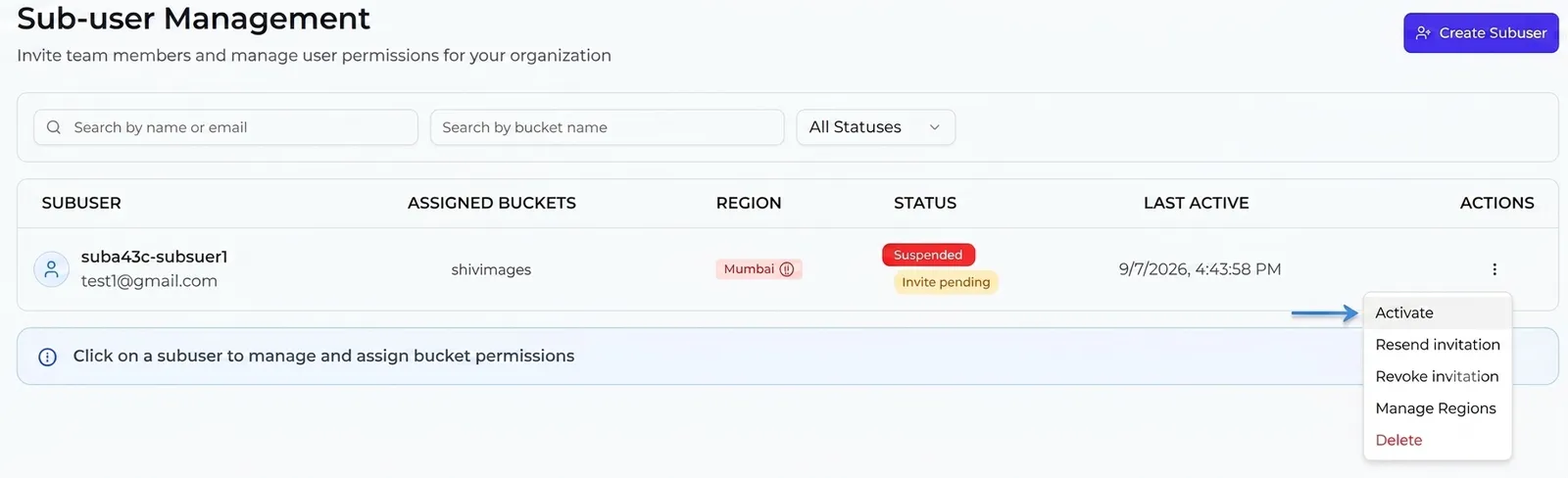
Sub-user with several regions
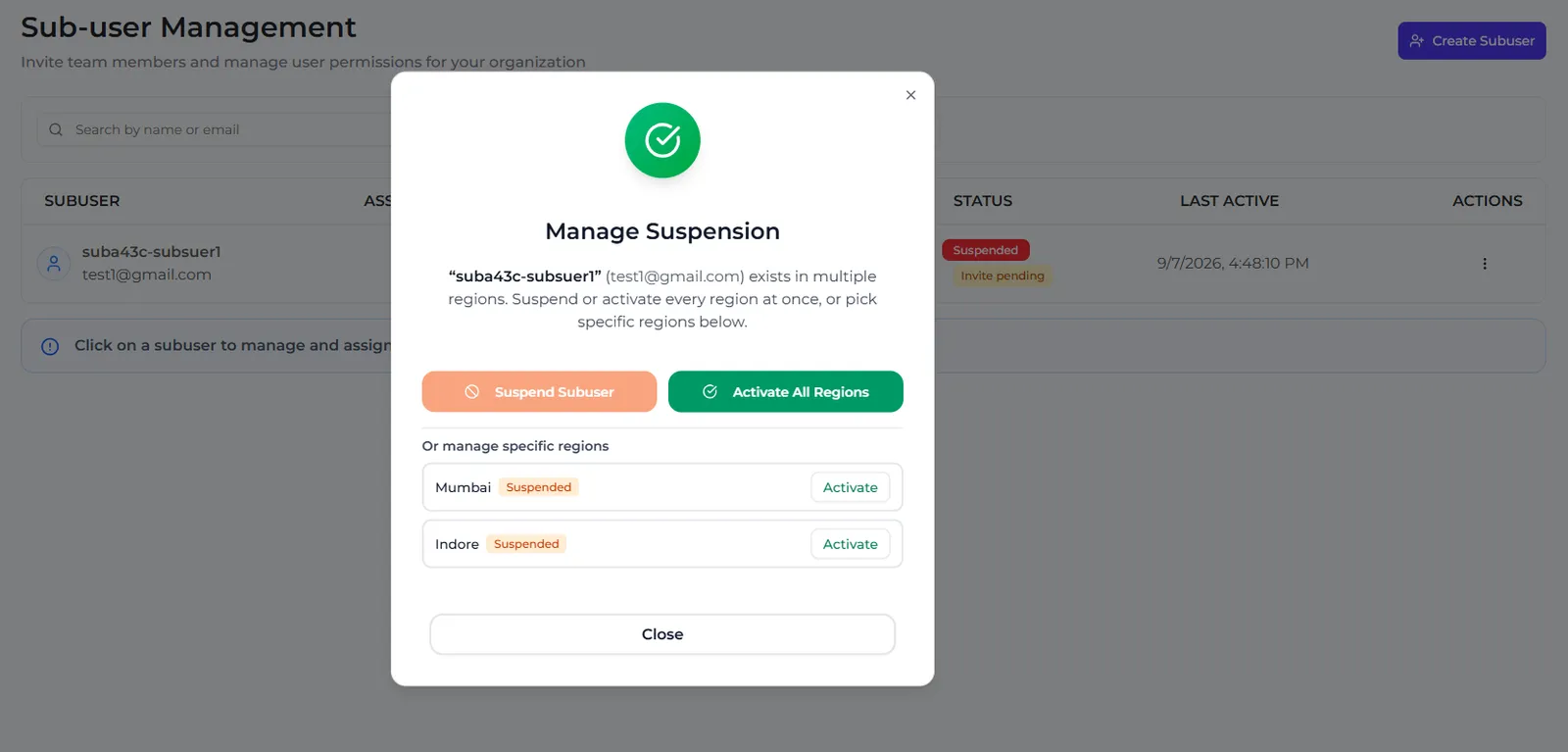
You can suspend all regions or only some. Select Manage Suspension in the row menu or under Danger Zone. In the dialog:
- Suspend Subuser suspends every region.
- Activate All Regions reactivates every region.
- Under Or manage specific regions, select Suspend or Activate next to one region.
What the status means
In the list, a suspended region’s name is shown in red with a pause icon.
After you reactivate a sub-user, ask it to sign out of the dashboard and sign in again if buckets or regions seem to be missing.
When your own account is suspended
If your account is suspended — for example for an unpaid bill or an expired plan — all your sub-users are suspended with it. When your account is active again, they are reactivated automatically. Sub-users or regions that you suspended yourself stay suspended.
A sub-user with Programmatic + Dashboard access also shows Suspended until it accepts its invitation.