Legal hold
A legal hold stops a file version from being deleted or overwritten, like a retention, but it has no end date. It stays until someone turns it off. Use it to keep files during a dispute, an audit or an investigation, for as long as needed.
A legal hold works on its own or together with a Governance or Compliance retention. While the hold is on, the version cannot be deleted, even if its retention has ended. Legal holds work only in buckets with Object Lock, and you set them on one version at a time.
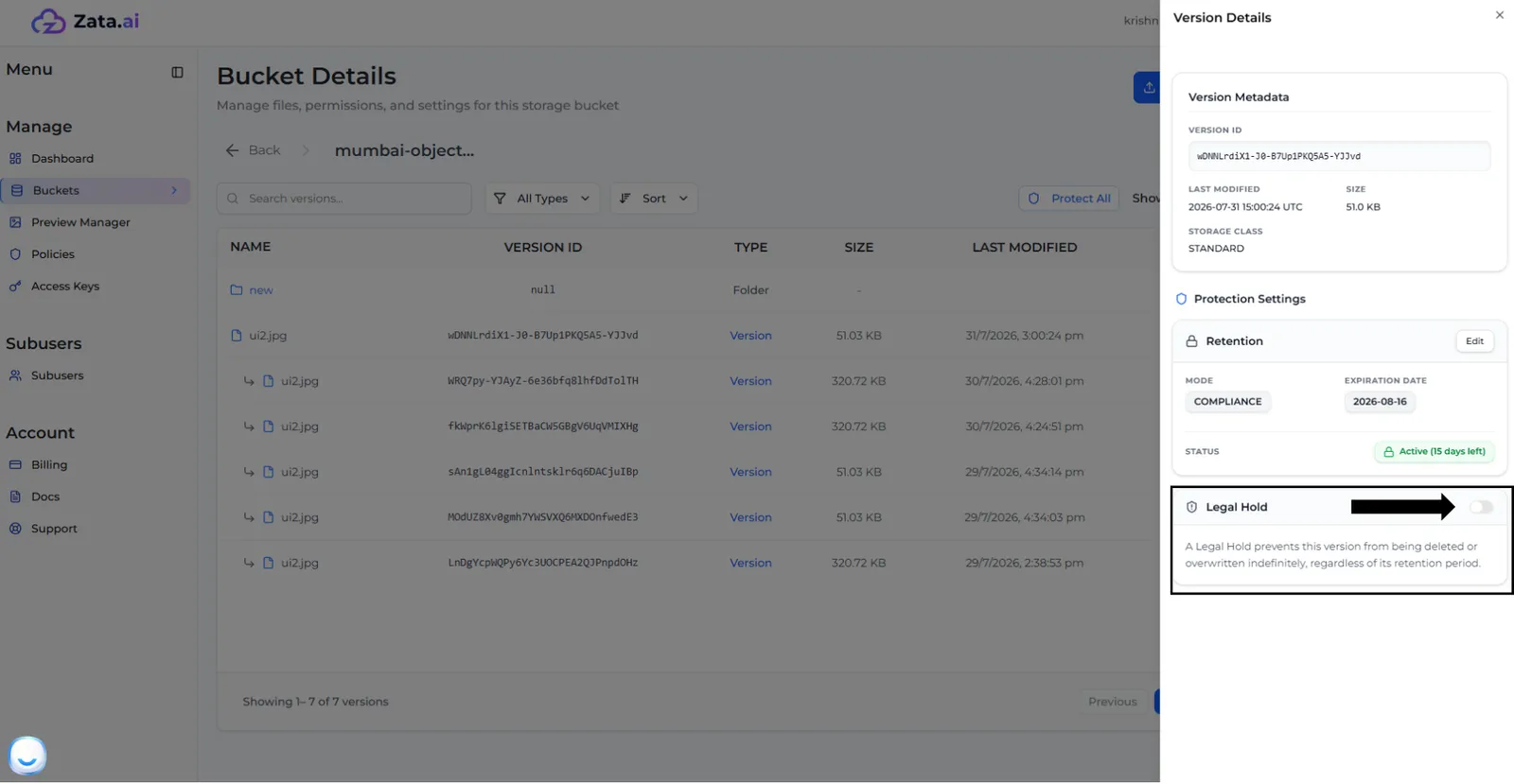
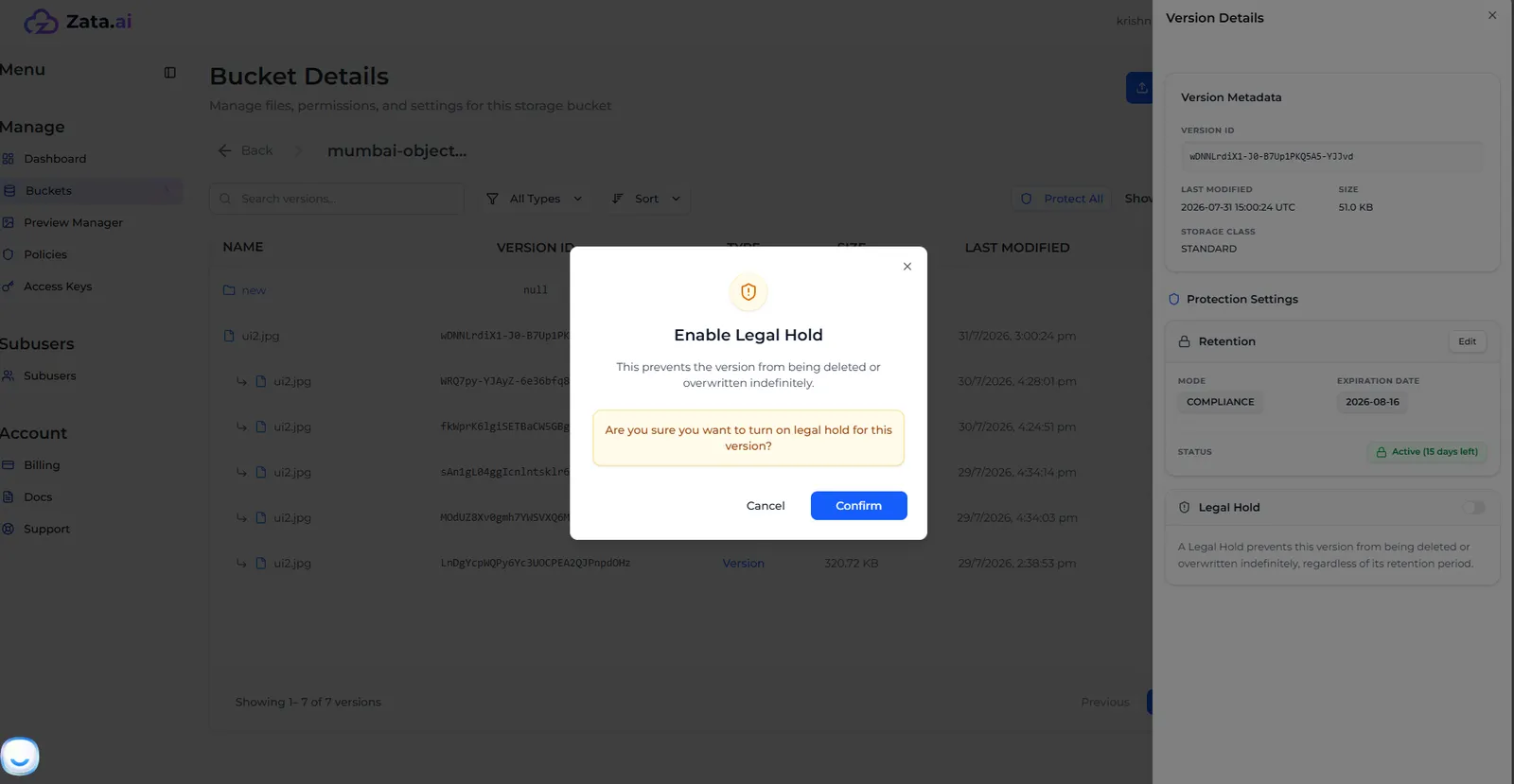
Turn on a legal hold
Turn off a legal hold
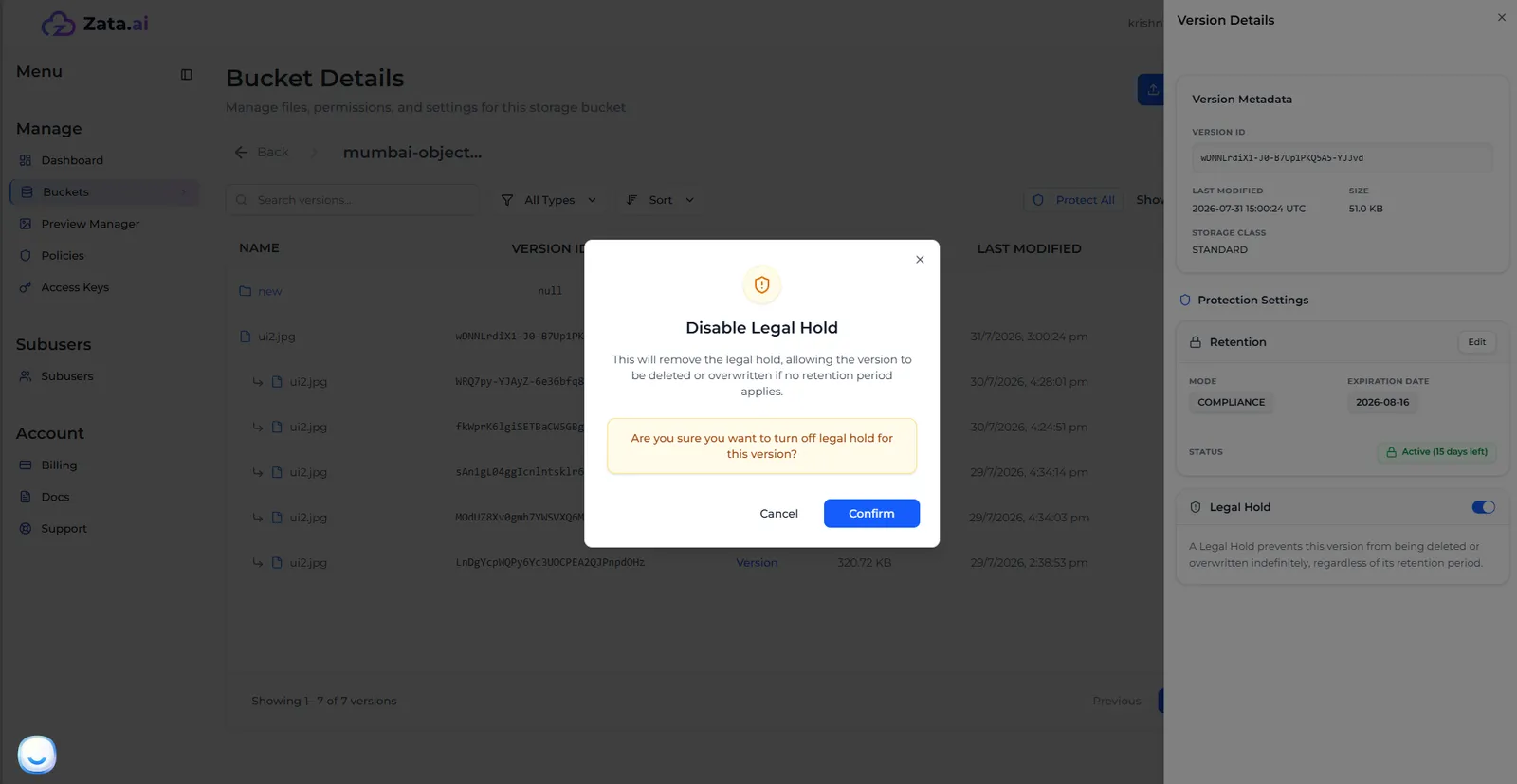
Turn off the Legal Hold switch in the version’s Lock Settings and select Confirm in Disable Legal Hold. The version can then be deleted, unless a retention still applies.
Deleting a version on hold
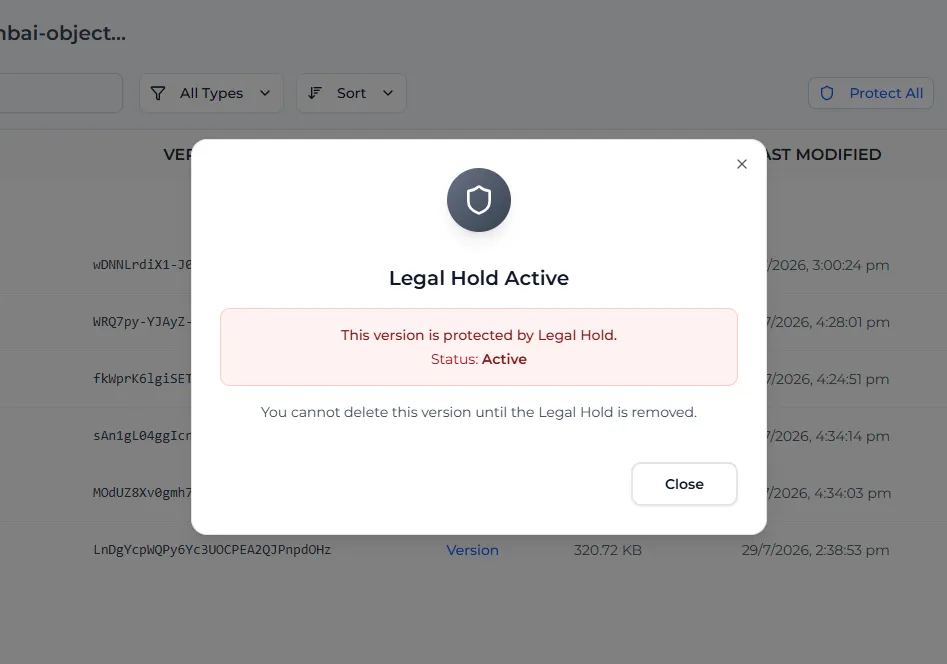
While the hold is on, nobody can delete the version. The console shows Legal Hold Active and only lets you close the window.