

Plesk
Back up websites, databases and settings from Plesk to Zata.
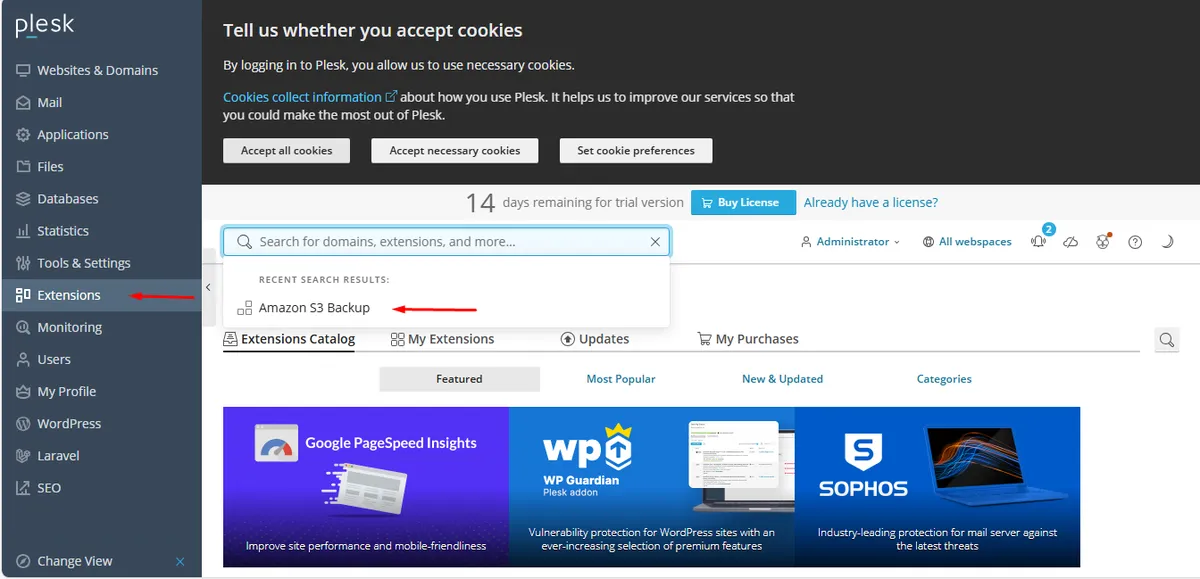
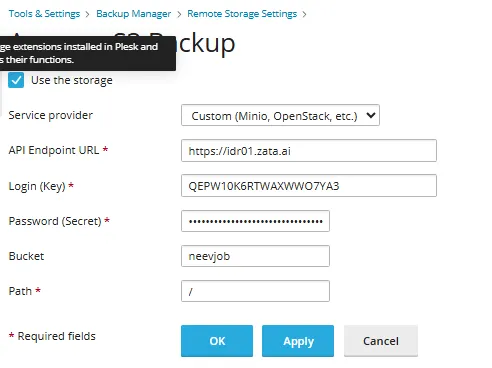
Plesk can store server and website backups in a Zata bucket. You use the Amazon S3 Backup extension with a custom (S3-compatible) service provider.
Before you start
- A bucket for the backups, for example
plesk-backups. See Create a bucket. - An access key from the same region as the bucket. See Access keys.
- Admin access to Plesk (usually
https://your-server:8443).
Connection settings
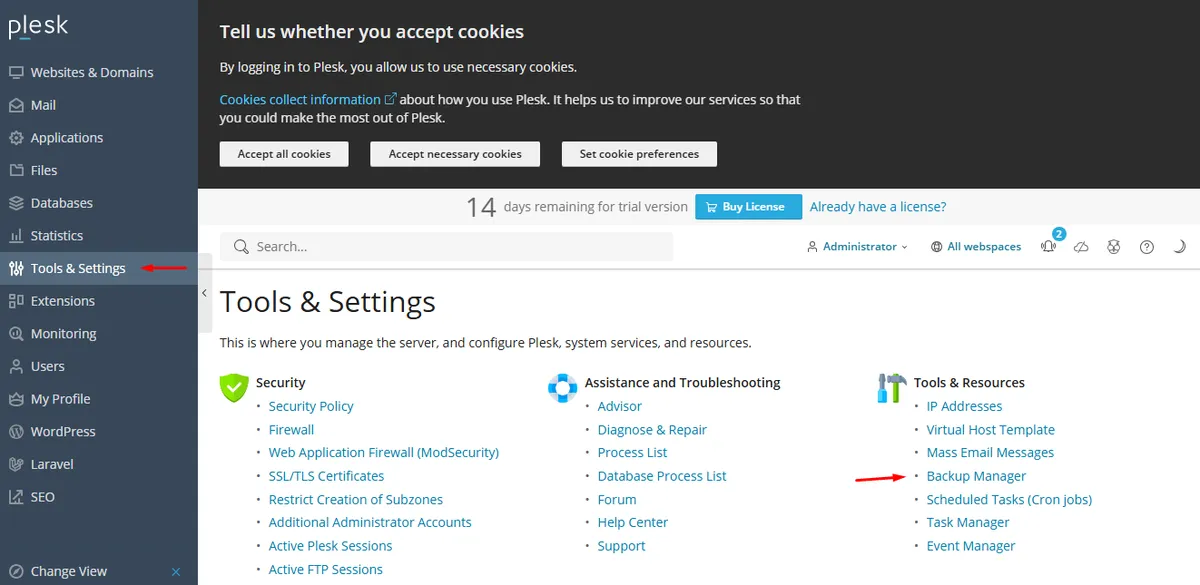
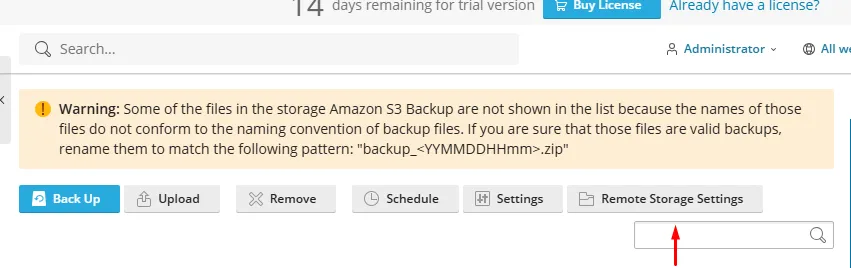
Set up Plesk
Test it
In Backup Manager, click Back Up. Under Store in, choose Custom (Minio, OpenStack, etc.) (or both server storage and custom storage) and click OK. When the backup finishes, check that the backup files are in your bucket in the Zata console. Then restore one item from that backup in Backup Manager.

Troubleshooting
For other errors, see Signature errors and Endpoint and region.