

Delete a large bucket
For most buckets, Delete All Contents in the console is enough: see Delete a bucket. A bucket with hundreds of thousands or millions of files can be too big for that. Empty it first with one of the methods below, then delete it.
Both methods delete files for good. Copy anything you still need before you start.
Method 1: Lifecycle rules
The storage cluster deletes the files for you, so the size of the bucket does not matter.
Add a lifecycle rule
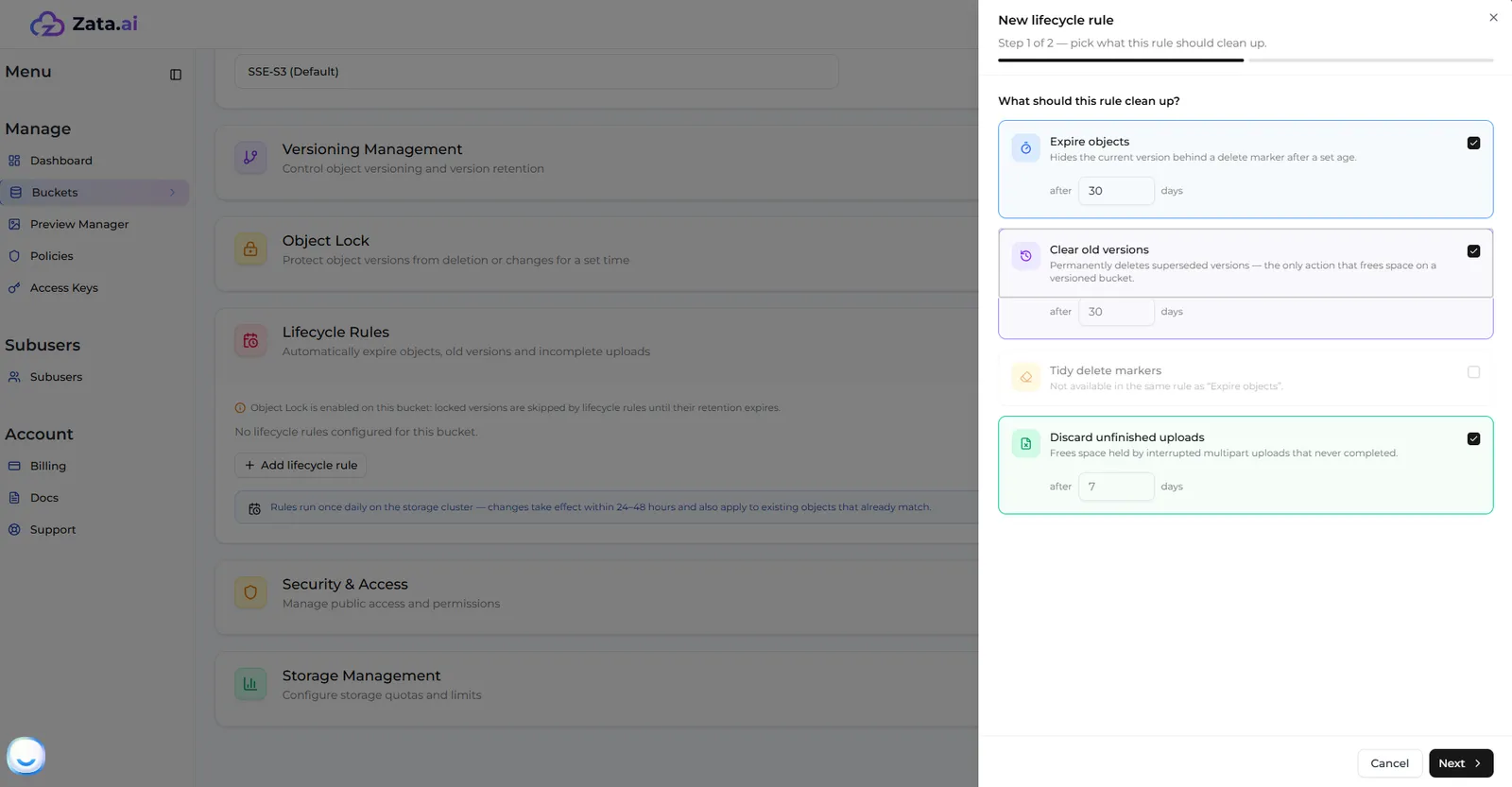
Open the bucket’s settings, expand Lifecycle Rules and select Add lifecycle rule.
Tick the cleanup actions
Tick these actions and set each one to 1 day:
- Expire objects
- Discard unfinished uploads: unfinished uploads are hidden from the file list but still block deleting the bucket.
- Clear old versions, if the bucket has or had versioning. Leave keep newest empty.
Select Next.
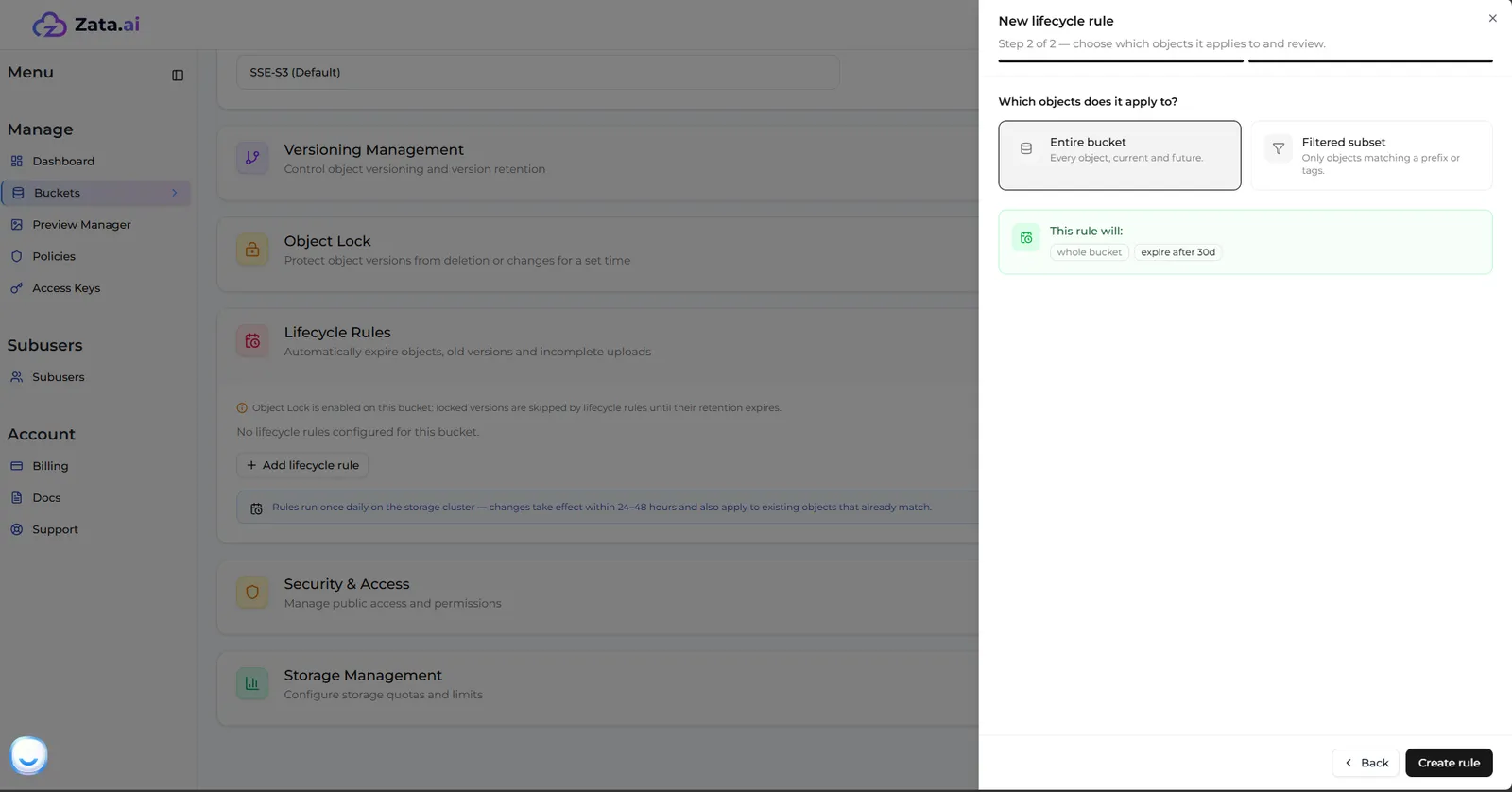
Apply it to the entire bucket
Choose Entire bucket and select Create rule. Do not use a filter: files outside it would stay and the bucket could not be deleted.
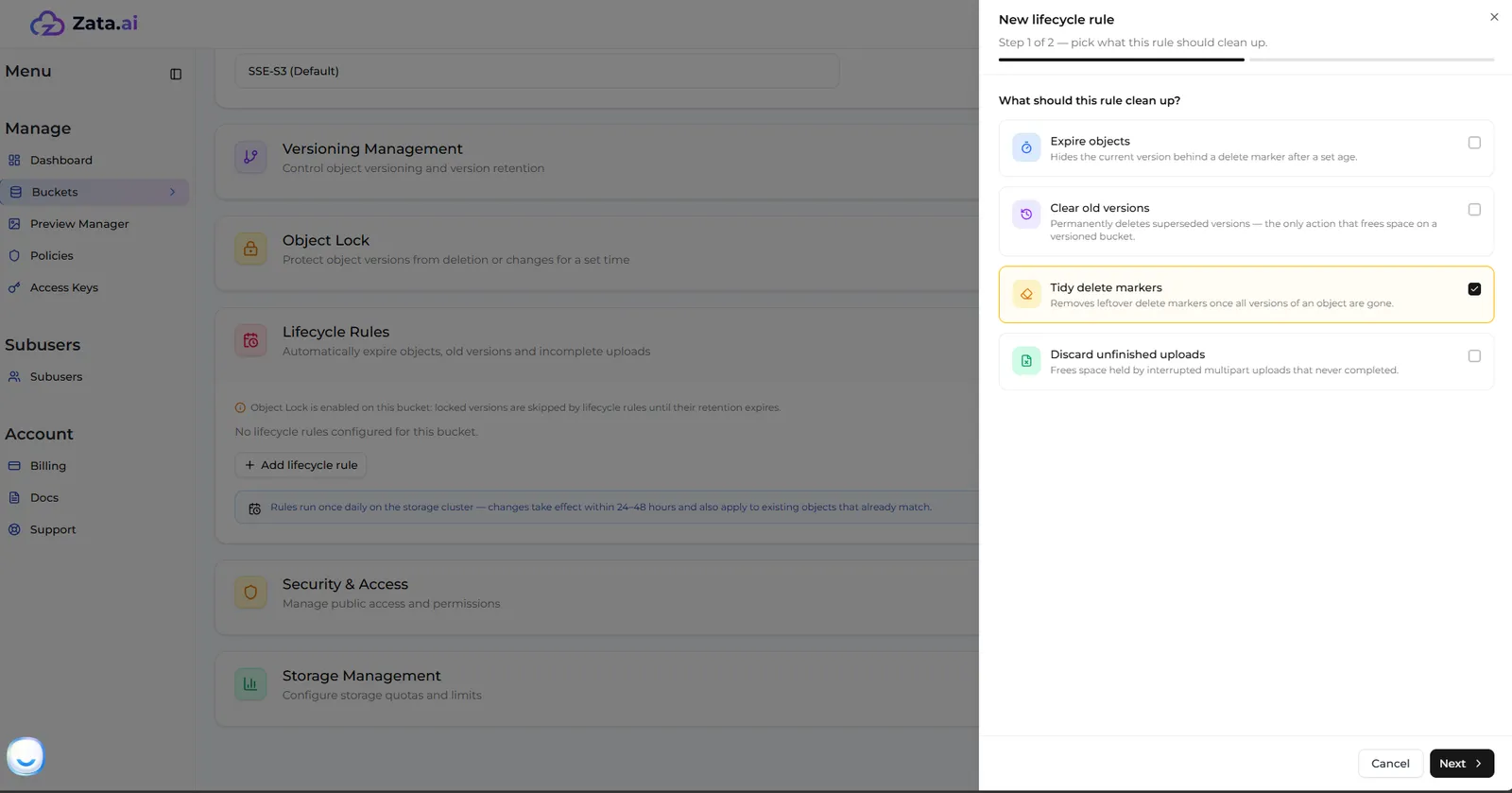
Add a second rule for delete markers (versioned buckets only)
If the bucket has or had versioning, add another rule with only Tidy delete markers, for the Entire bucket. It cannot share a rule with Expire objects.
Wait, then delete the bucket
Rules run once a day, and in a versioned bucket each step follows the one before. Check the bucket every day. When it is empty (with Show Versions on, too), delete it.
In a bucket with Object Lock, locked versions are skipped until their lock ends.
Method 2: rclone or the AWS CLI
Use this for a bucket where versioning was never turned on. In a versioned bucket these commands only hide the files behind delete markers: the old versions stay and the bucket cannot be deleted. Use Method 1 for those.
rclone
AWS CLI
Create a zata remote with the account owner’s key from the bucket’s region (for Mumbai, use https://bom01.zata.ai). See rclone for details.
Check what is in the bucket, then preview the deletion:
Delete all files and the bucket itself. There is no confirmation and no undo:
--checkers 32 deletes 32 files at a time, --fast-list lists the bucket with fewer requests and -P shows progress. To empty the bucket but keep it, use rclone delete zata:my-bucket -P instead.
Deleting millions of files can take hours. Run the command inside tmux or screen so that a dropped SSH connection does not stop it.
If the bucket still will not delete, it usually has unfinished uploads: see If the bucket will not delete.
Need help?
If a bucket does not empty, raise a support ticket with the bucket name, its region, roughly how many files it holds, the method you tried and the exact error.