Skip to navigation

qBackup

Back up your files to a Zata bucket with qBackup.

qBackup is desktop backup software. It can store backup projects in a Zata bucket through its S3 Compatible Storage option.

Before you start

  • A new, empty bucket (or an empty folder) for qBackup. A bucket that already holds other data gives a “Storage is not empty” error. See Create a bucket.
  • An access key from the same region as the bucket. See Access keys.
  • qBackup installed.

Connection settings

SettingValue
Storage typeS3 Compatible Storage
AuthenticationUse Access Key ID and Secret Access Key
Access Key ID / Secret Access KeyFrom Access Keys in the Zata console. The key must be from the same region as the bucket.
Endpointidr01.zata.ai for Indore, bom01.zata.ai for Mumbai
Bucket nameYour bucket name, for example my-bucket

Set up qBackup

1

Create a project

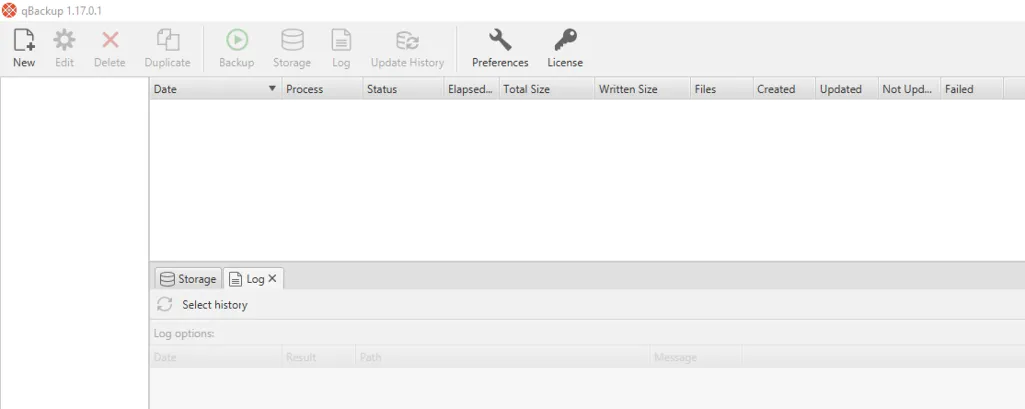
Click New and enter a Project name, for example ZataBackup.

qBackup main window with the New button
2

Choose what to back up

On Include, add the files and folders to back up. On Exclude, add anything to skip.
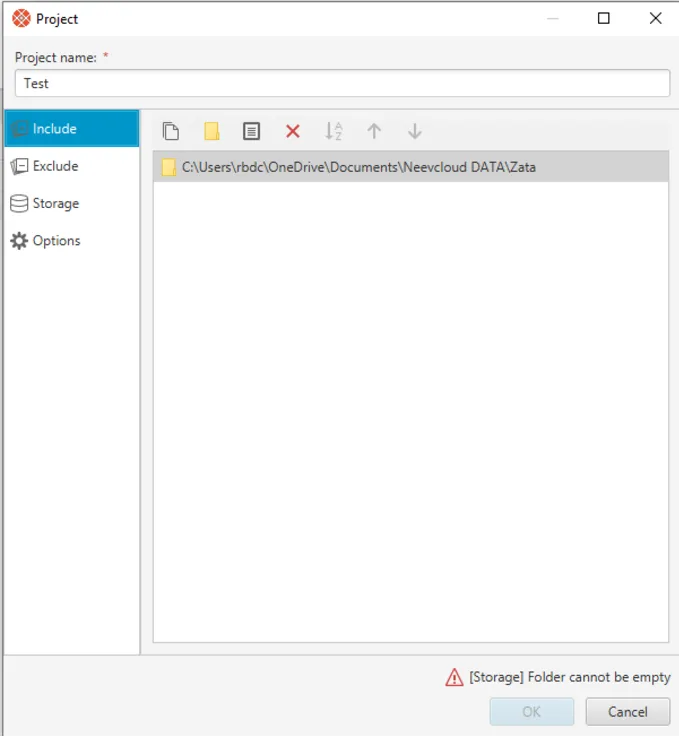
Project window with the Include tab and one folder added
3

Set Zata as storage

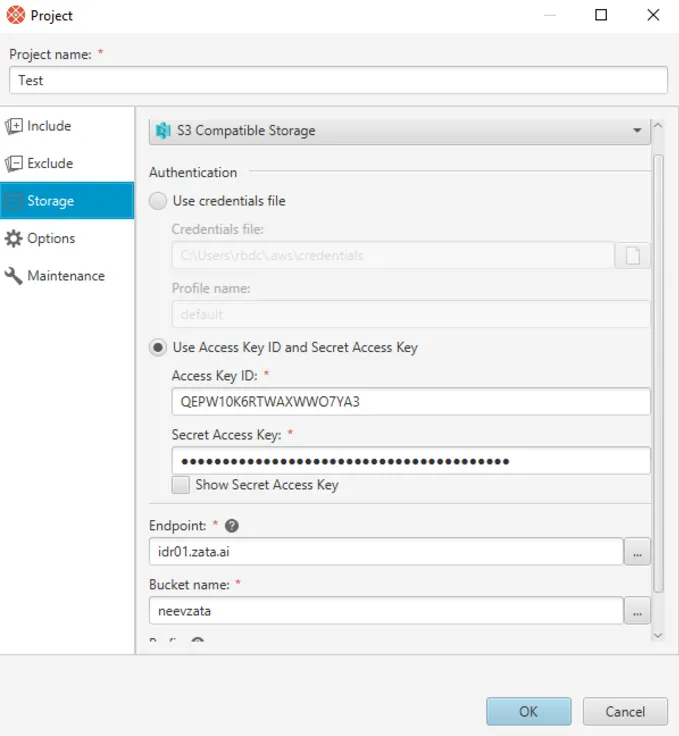
On Storage, choose S3 Compatible Storage and fill in the fields from the table above. Click OK.

Storage tab with S3 Compatible Storage, access key authentication, endpoint idr01.zata.ai and the bucket name
4

Schedule it (optional)

On Maintenance, set a daily, weekly or custom schedule.

Test it

Select the project and click Backup. When the status shows Completed, check that backup data appears in your bucket in the Zata console. Then restore a file with qBackup and open it.
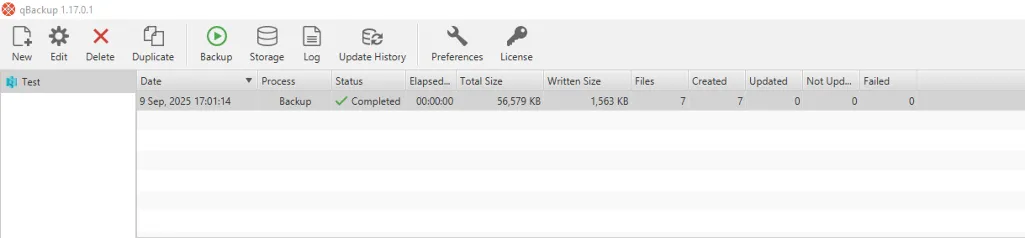
qBackup history with a completed backup

Troubleshooting

ProblemFix
”Storage is not empty”Use a new, empty bucket or folder for this project.
Access denied or invalid credentialsCopy the keys again from Access Keys and check that the key can use the bucket.
Cannot connectCheck that Endpoint matches the bucket’s region.
Large files fail but small ones workSee Large uploads.

For other errors, see Signature errors.