

Preview Manager
The Preview Manager shows the files in your buckets as a gallery. You can view images, play video and audio, and open documents in the browser without downloading them first.
Egress usage applies. Viewing, streaming or downloading files in the Preview Manager counts against the egress included in your plan. If your usage goes over your plan, services may be restricted. See Ingress and egress.
Preview a file
Open the Preview Manager
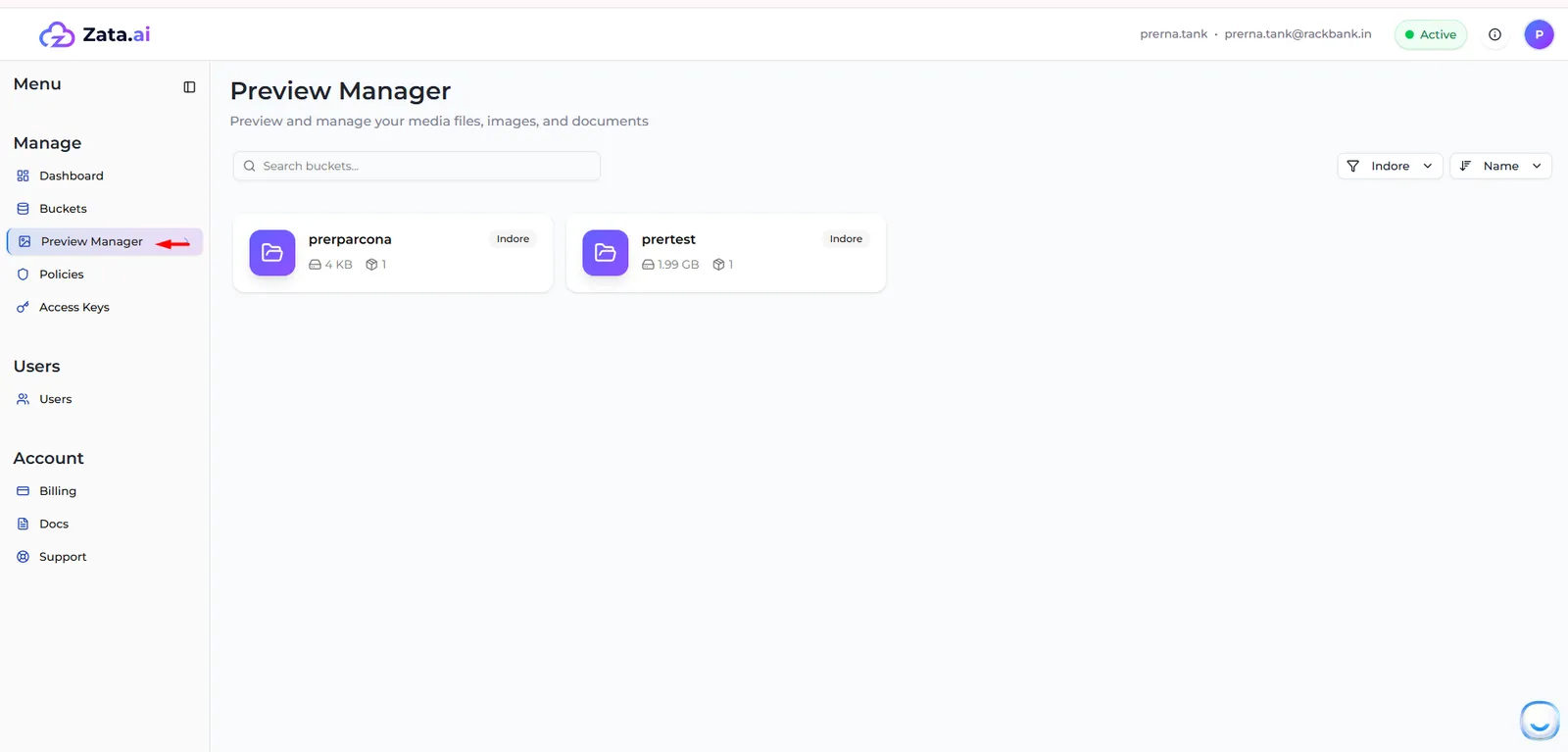
In the Zata console menu, select Preview Manager.
The first time, the console shows Notice: Egress Usage Applies. Tick I understand and do not want to see this again and select Continue.
Choose a bucket
Each card shows a bucket’s name, region, size and number of objects. Use Search buckets…, the region filter and the sort menu (Name, Created, Objects, Size) to find one, then select it.
Choose a file
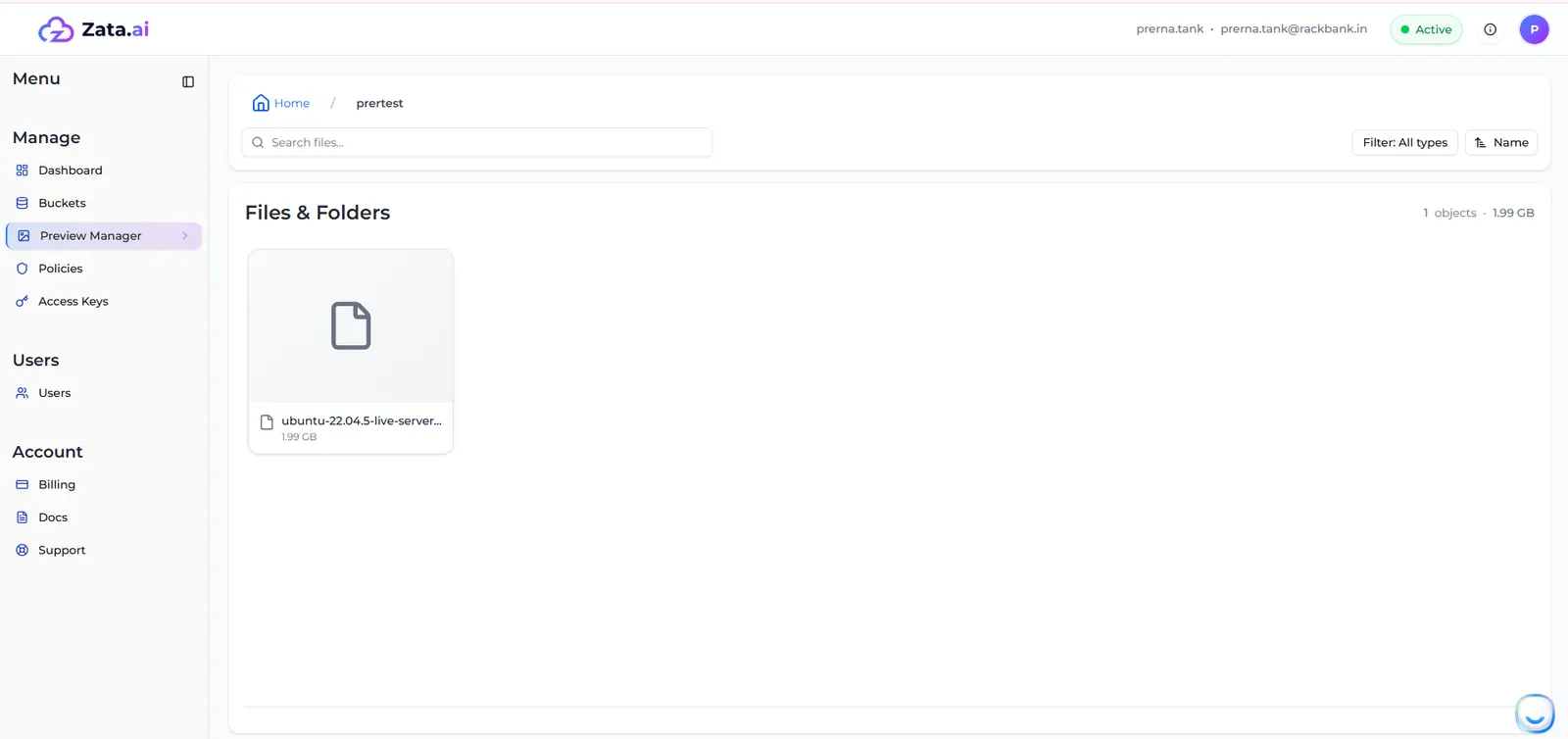
Files and folders are shown under Files & Folders. Select a folder to open it, and Home to go back to the top. Use Search files…, the type filter and the sort menu to narrow the list.
View it
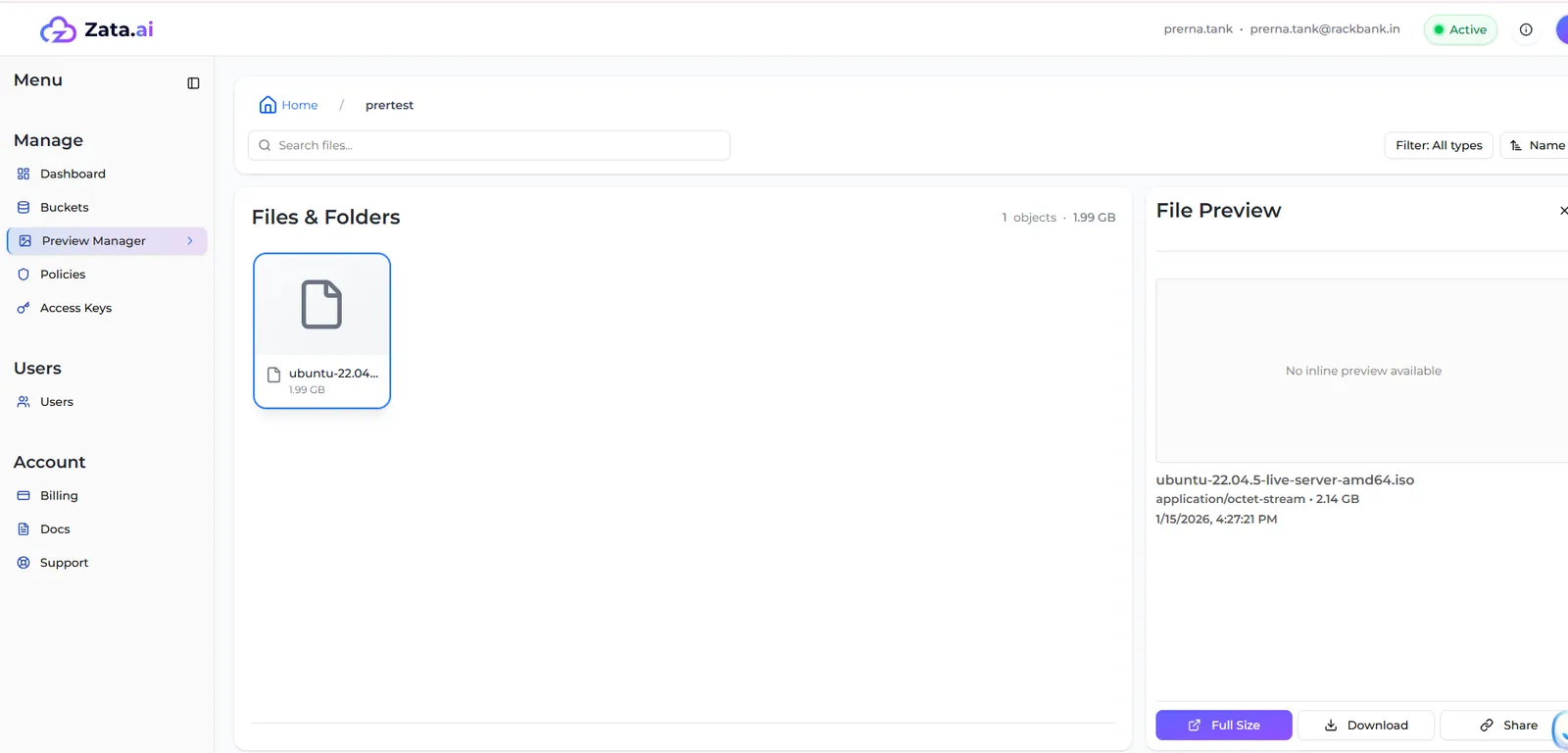
Select the file. The File Preview panel shows the preview, the file type, size and date, and three buttons:
- Full Size: opens a larger view.
- Download: saves the file to your computer.
- Share: makes a temporary link that works for 15 min, 1 hour, 6 hours, 24 hours, 7 days or a Custom time. See Share a file.
What can be previewed
Word, Excel and PowerPoint files are displayed with Microsoft’s online Office viewer, which reads the file through a temporary link.
To upload, rename or delete files, use the bucket page instead: see Upload and manage files.