

MSP360
Use a Zata bucket as backup storage in the MSP360 Managed Backup console.
MSP360 Managed Backup (formerly CloudBerry) backs up servers and workstations from one web console. You add Zata as an S3 Compatible storage account, and your backup plans can then store data in a Zata bucket.
Looking for the desktop file manager CloudBerry Explorer? See CloudBerry Explorer.
Before you start
- A bucket for the backups. See Create a bucket.
- An access key from the same region as the bucket. See Access keys.
- An MSP360 Managed Backup account.
Connection settings
Set up MSP360
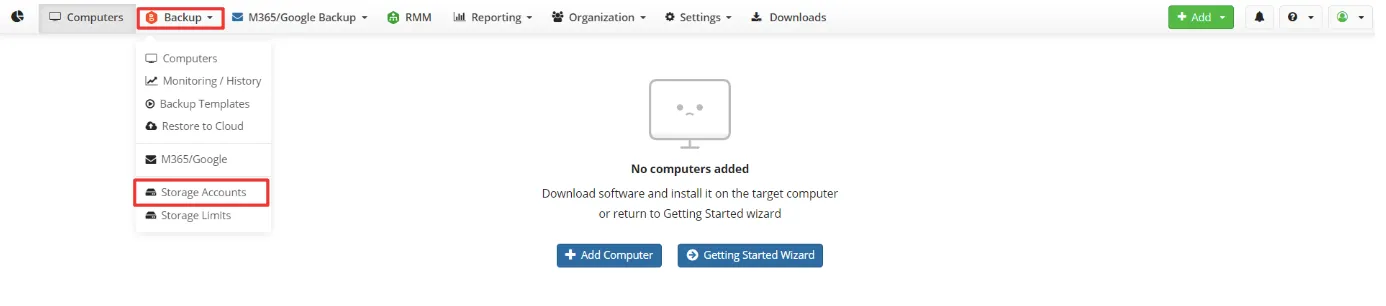
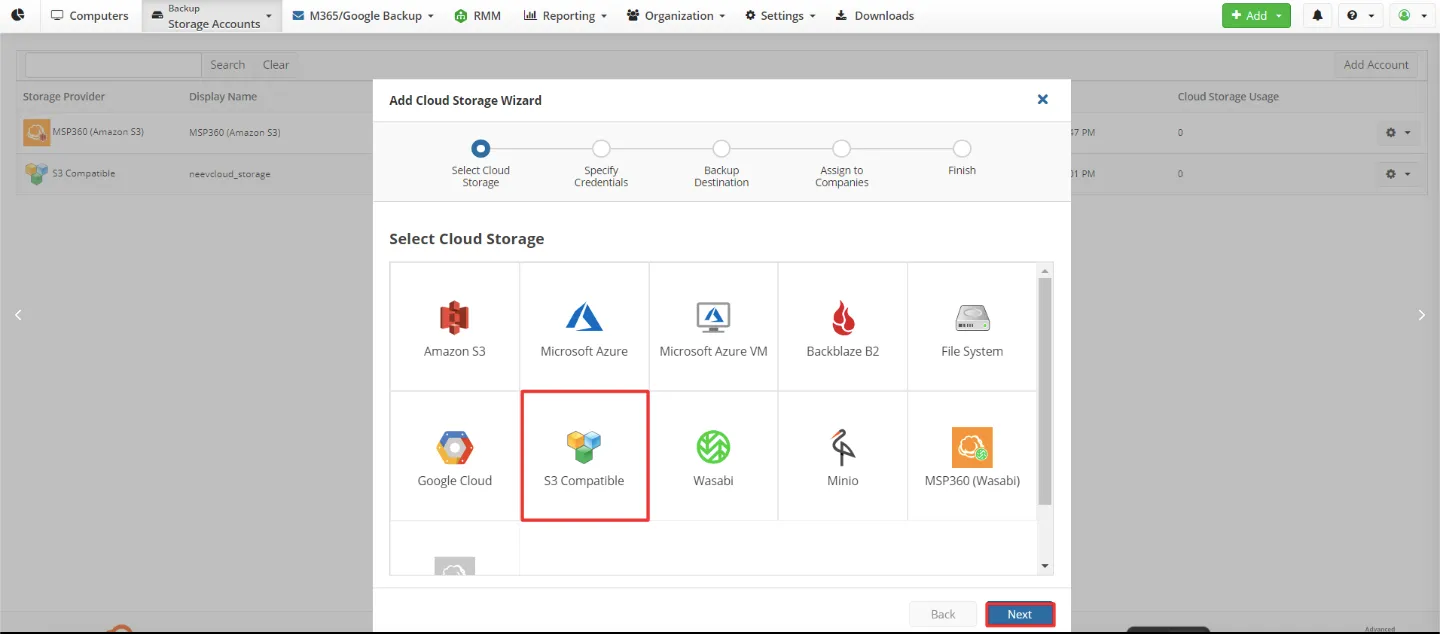
Specify the credentials
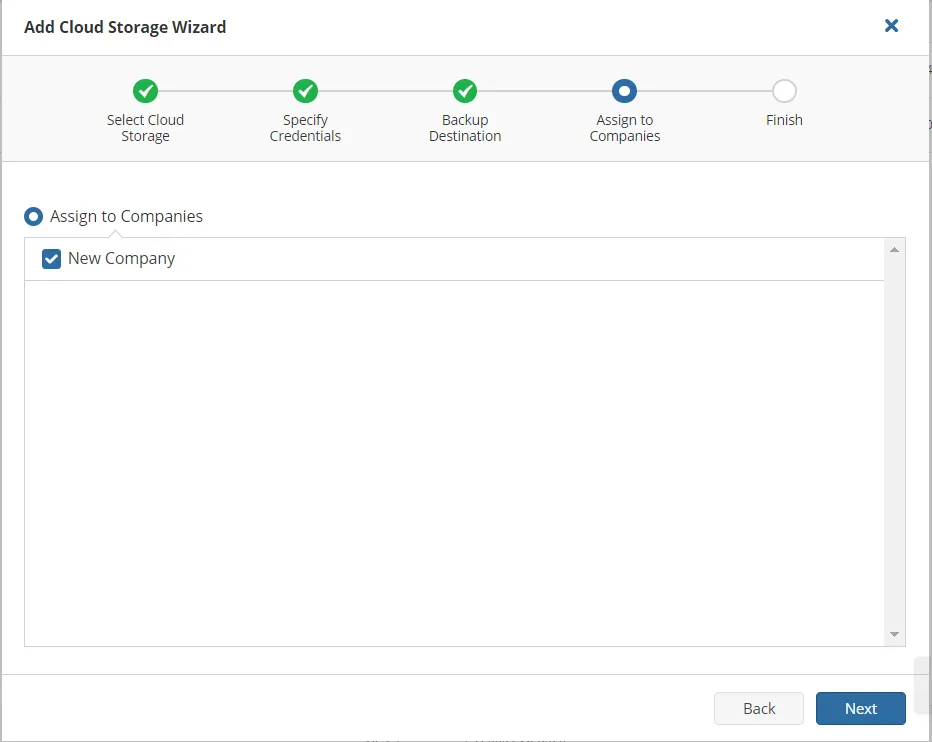
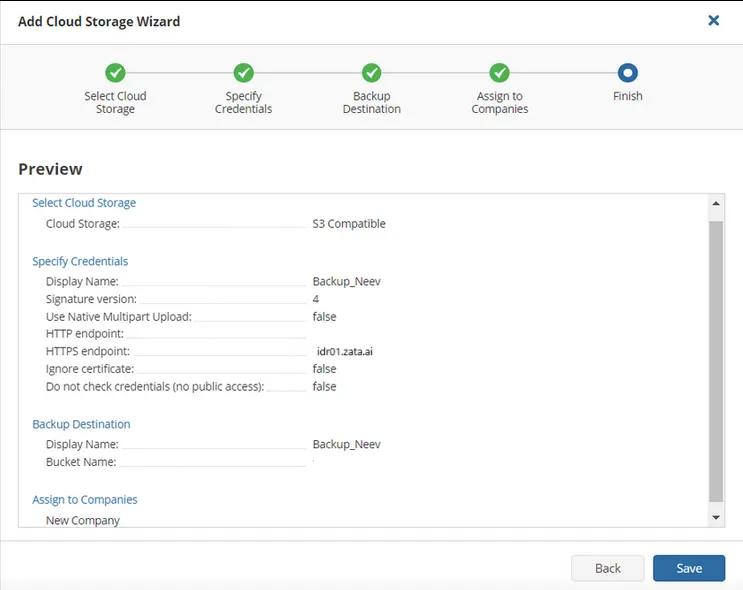
Enter a Display Name, for example Zata, and fill in the other fields from the table above. Click Next.
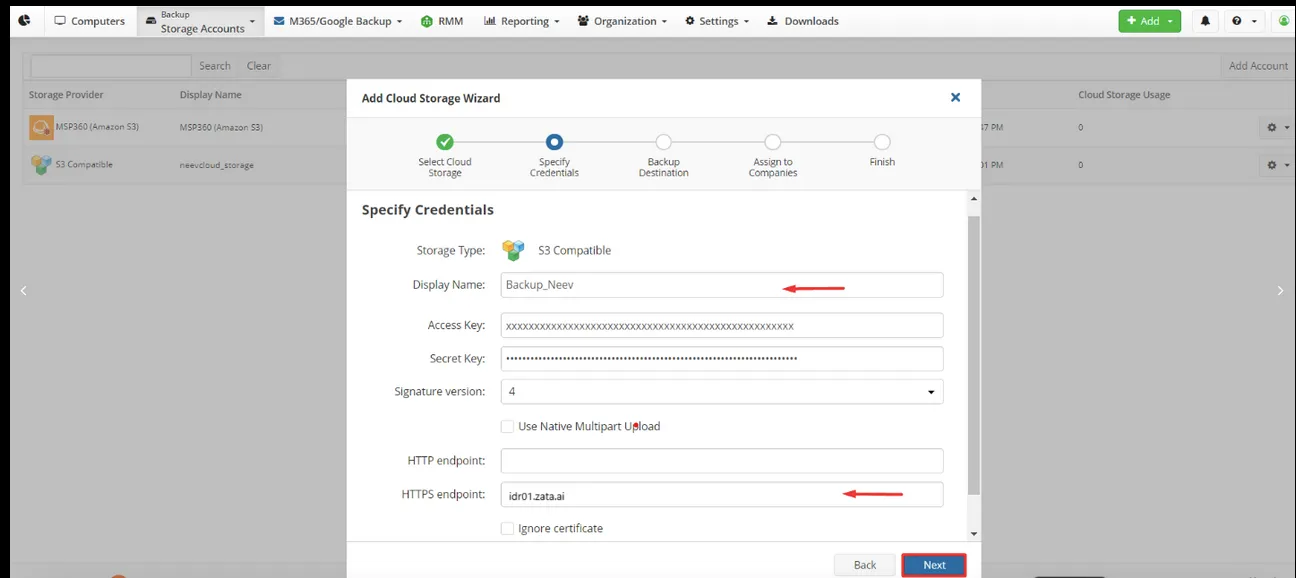
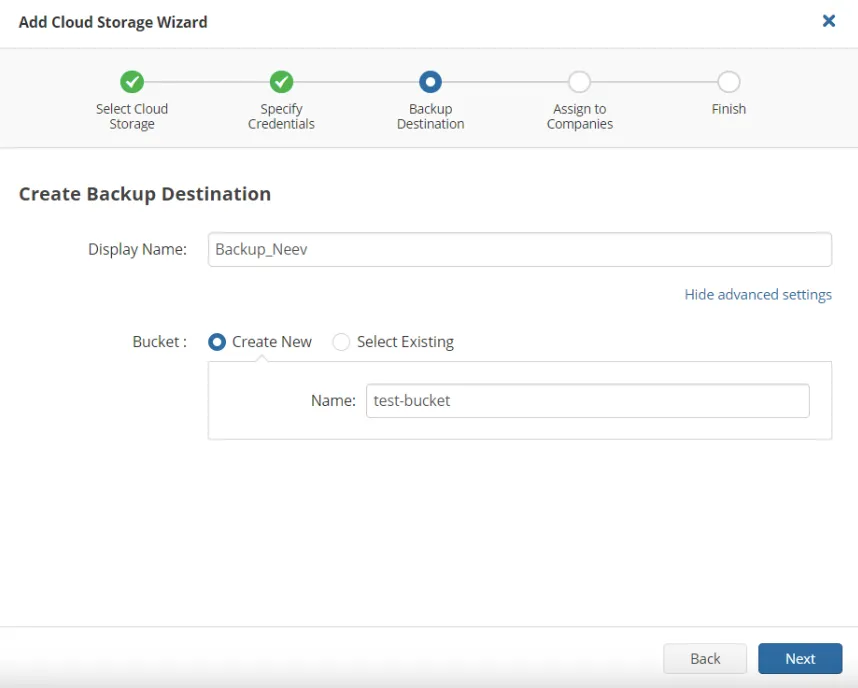
Test it
On a computer with the MSP360 backup agent, back up a small folder to the Zata destination. Check that the data appears in your bucket in the Zata console, then restore the folder to confirm the backup can be recovered.
Troubleshooting
For other errors, see Signature errors and Access denied.